19
Troubleshooting
Accessories
Use only original Festool accessories and Festool
consumable material intended for this machine be-
cause these components are designed specifically
for the machine. Using accessories and consum-
able material from other suppliers will most likely
affect the quality of your working results and limit
any warranty claims. Machine wear or your own
personal workload may increase depending on the
application. Protect yourself and your machine, and
preserve your warranty claims by always using
original Festool accessories and Festool consum-
able material!
The order numbers of the accessories and tools can
be found in the Festool catalogue or on the Internet
under "www.festoolusa.com".
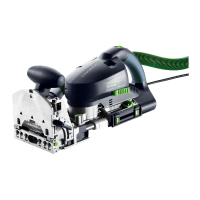
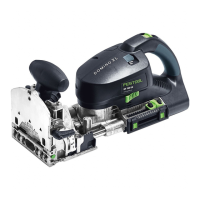
Special accessories for DOMINO joining machine
Festool provides comprehensive accessories which
allow you to use your machine effectively and for di-
verse applications, e.g.:
•Handrail fence RA-DF 500/700
•Cross stop QA-DF 500/700
•Stopper LA-DF 500/700
Assembly instructions are included at the end of
the operating manual.
Systainer
Many Festool products are shipped in a unique sys-
tem container, called "Systainer". This provides
protection and storage for the tool and accessories.
The Systainers are stackable and can be inter-
locked together. They also can be interlocked atop
Festool CT dust extractors.
To open the Systainer
Fault Cause Solution
Burns Blunt cutter Use sharp cutter
Dowel hole too narrow. DOMINO
dowel cannot be jointed.
a. Blunt cutter
b. Deposits (e.g. chippings in the
dowel hole)
a. Use sharp cutter
b. Remove deposit and work with
dust extractor
Widening of the dowel hole with
8mm cutter
Routing depth too large (larger
than 50 mm)
Reduce routing depth (max.50 mm)
Splinters at edge of dowel hole Excessive feed rate Reduce feed rate
Dowel hole not parallel to work-
piece edge
Workpiece has shifted during
processing
Secure workpiece properly
Tool cannot be loosened during
tool change
Spindle lock not functioning Twist spindle against the tool using
an open-ended spanner. If this
occurs several times contact the
after-sales service department.
The positions of the dowel holes
which are created with one of the
left and one of the right stop pins
do not match precisely.
The stop pins are selected differ-
ent on the right and left.
Select the same stop pins on the
left and the right.
DOMINO joining machine oper-
ates irregularly, jerks
a. No dust extractor connected
b. Rubber buffer
[1-1]
worn
a. Connect dust extractor
b. Replace rubber buffer (spare
part)
Turn the T-loc
[13-1]
to this position.



 To Next Page
 Loading...