6!
4. Set up another Fetch TV box
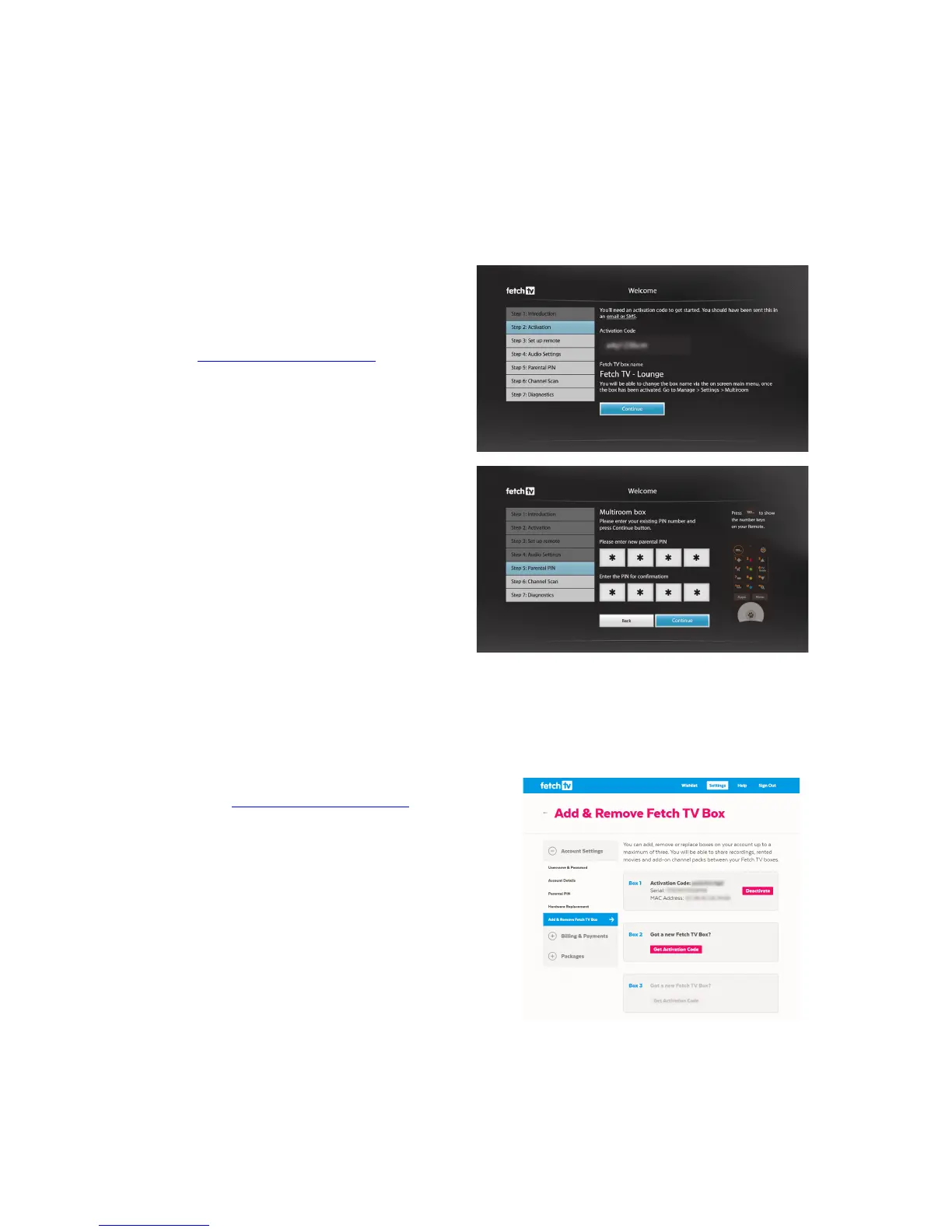
If!you!get!another!Fetch!TV!box!on!your!account,!follow!the!steps!in!the!Quick!Start!Guide!to!
set!it!up.!You’ll!need!to!enter!the!Activation!Code!for!your!new!box!and!confirm!the!PIN!for!
your!service!in!the!Welcome!Screen!as!part!of!the!set!up.!
To'get'your'activation'code:'
ü For!Customers!with!an!account!direct!with!
Fetch!TV,!go!to!your!Account!at!
www.fetchtv.com.au/account!and!choose!
Add!&!Remove!Fetch!TV!Box!to!add!an!
additional!box!to!your!account.!!
ü For!Customers!with!one!of!our!partner!ISPs,!
you!will!have!received!the!Activation!Code!
for!your!box!from !y ou r!Fe tch !TV !Se rvice !
Provider.!!!
!
Add another box to your account
For!Customers!with!an!account!direct!with!Fetch!TV,!here’s!how!to!add!another!box!to!your!account.!
1.! On!your!computer!or!mobile!device!web!browser,!
go!to!www.fetchtv.com.au/account!and!follow!the!
on!screen!prompts!to!sign!in.!
2.! Select!Add!&!Remove!Fetch!TV!Box!from!the!menu.!
3.! Select!Get!Activation!Code.!!
!
Note:!See!Page!8!if!you!have!box es!u nd e r!differe n t!Fetc h!T V !acc ou n ts!tha t!you!want!to!start!u sing!for!
Multiroom.!
! !



 To Next Page