8!
6. Tips and help
Fetch TV boxes under different Fetch TV accounts
All!Fetch!TV!boxes!you!want!to!use!for!Multiroom!must!be!on!the!same!Fetch!TV!account.!!
To'check'if'your'boxes'are'on'the'same'account'
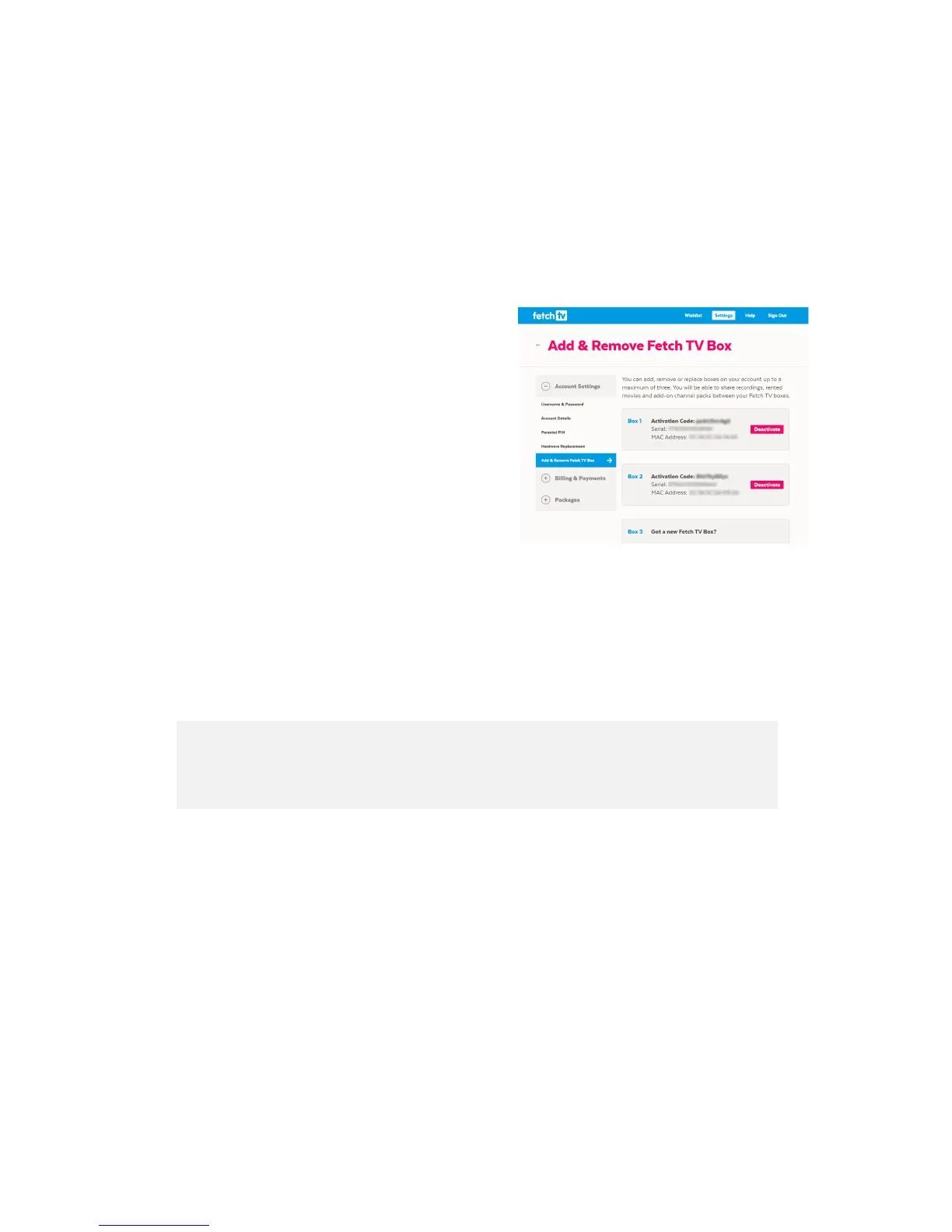
Sign!into!your!Account!and!select!See!all!codes!on!the!
overview!screen.!!
If!you!see!a ll!yo u r !b o xe s !liste d !in !Add!&!Remove!Fetch!TV!
Box,!then!you ’re !a ll!s e t!t o !u se !Multiroom.!
!
!
Boxes'on'different'accounts'
If!you!have !b o x es !u n d e r!d iffe re n t!a c co u n t s,!a n d !want!to!start!using!Multiroom,!you!would!need!to!choose!one!
account!to!be!your!primary!account,!then!cancel!your!other!account/s.!You!can!then!add!the!deactivated!
box/es!(on!the!cancelled!accounts)!to!your!primary!account!as!Multiroom!box/es.!!
Warning!'If!you!go!ahead!with!the!steps!below!you!will!lose!all!purchases!m ad e !u n d er !an y !
cancelled!account/s.!It!is!un fo rtu n a te ly !n o t!p o s sib le !to !merge!accou n t s!s o !th a t!y o u !ke e p !p re vio u s !
purchases!made!on!cancelled!Fetch!TV!accounts.!!!
!
If!you’d!still!like !to !p ro c e e d!(and!lose!previous!p u rch ase s!un de r!the !can ce lled!ac co un t)!h ere!is!w ha t!yo u’d !ne ed !
to!do:!
1. Choose!one!account!to!be!your!“primary”!account!(presumably!the!one!with!the!most!purchases!on!it).!
Make!sure!to!sign!out!of!your!primary!account,!as!this!is!the!account!you!want!to!keep.!
2. Perform!a!Soft!Reset!of!the!Fetch!TV!box!you!wish!to!move!over!into!your!primary!account.!This!is!
done!by!selecting!Menu!>!Manage!>!Settings!>!Device!Info!>!Soft!Factory!Settings!–!Reset.!After!a!
reset,!the!box!will!restart!and !pro m p t!yo u!to!connect!to!the!Internet!if!needed,!then!take!you!to!the!
Welcome!screen.!
3. Next!sign!into!the!account!you!want!to!cancel!(presumably!with!the!least!purchases!on!it)!and!
navigate!to!Packages!>!Cancel!Service.!Follow!the!p ro m p ts !to!ca n ce l. !



 To Next Page