9!
!
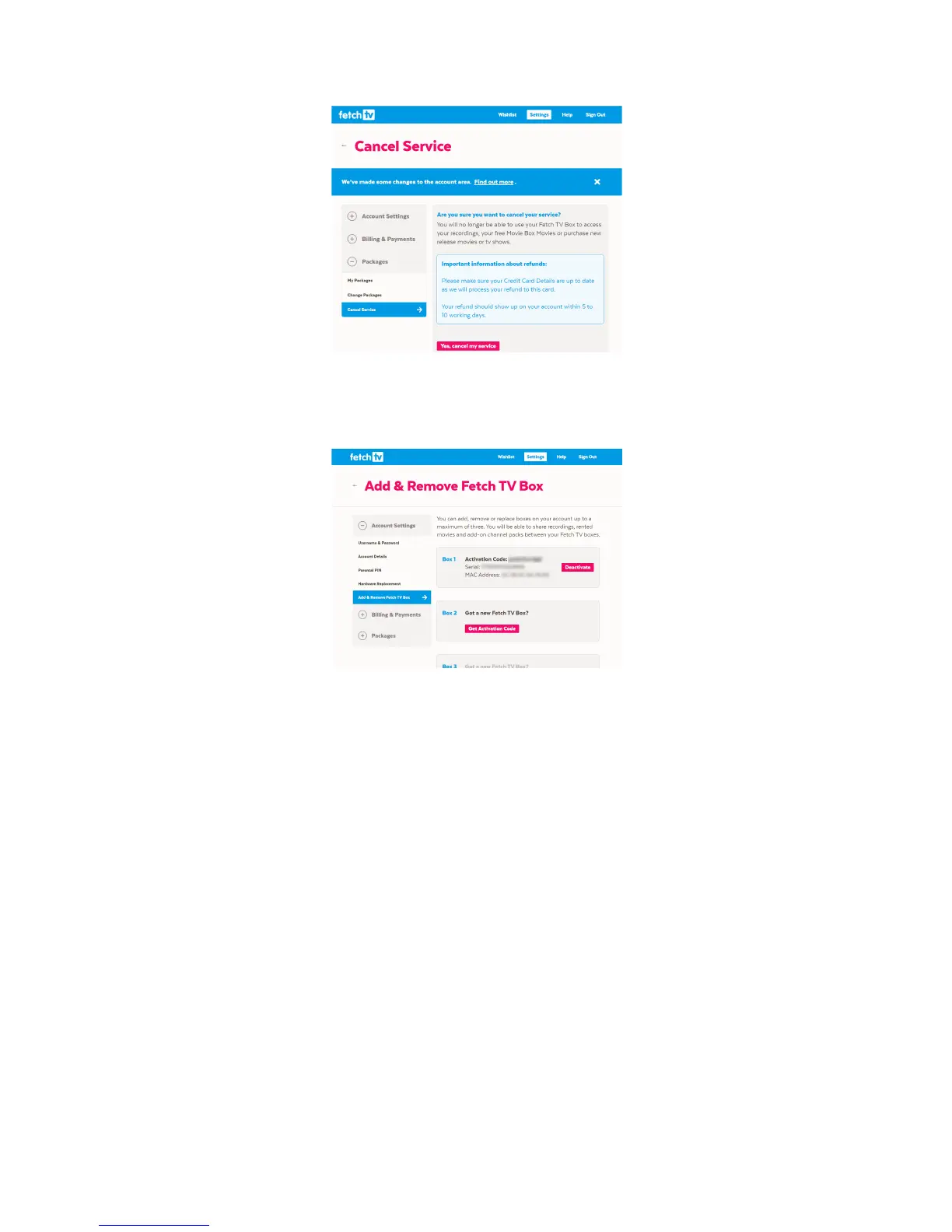
4. Now!sign!into!your!primary!account.!Navigate!to!Add!&!Remove!Fetch!TV!Box!to!add!the!deactivated!
box!to!your!account.!Select!‘Get!Activation!Code’!on!one!of!the!available!box!slots.!You!will!get!an!
activation!code!to!use!for!this!box.!
!
5. Run!through!the!Welcome!screen!and!enter!the!activation!code!you!have!just!received.!
6. Repeat!from!step!2!if!you!have!an!additional!Fetch!TV!box!under!a!different!account!you!want!to!
cancel.!!
You!should!now!see!all!previous!purchases!made!on!your!primary!account!on!your!Multiroom!boxes!too!(in!
Menu!>!My!Stuff!>!Movies!or!My!Stuff!>!TV!Shows).!And!from!n ow !o nw a rds ,!purc ha ses !or!ren tals!yo u !m ak e,!as!
well!as!subscription!channels!and!recordings,!will!be!available!from!all!the!Multiroom!boxes!in!your!home.!
!
! !



 To Next Page