14
Note
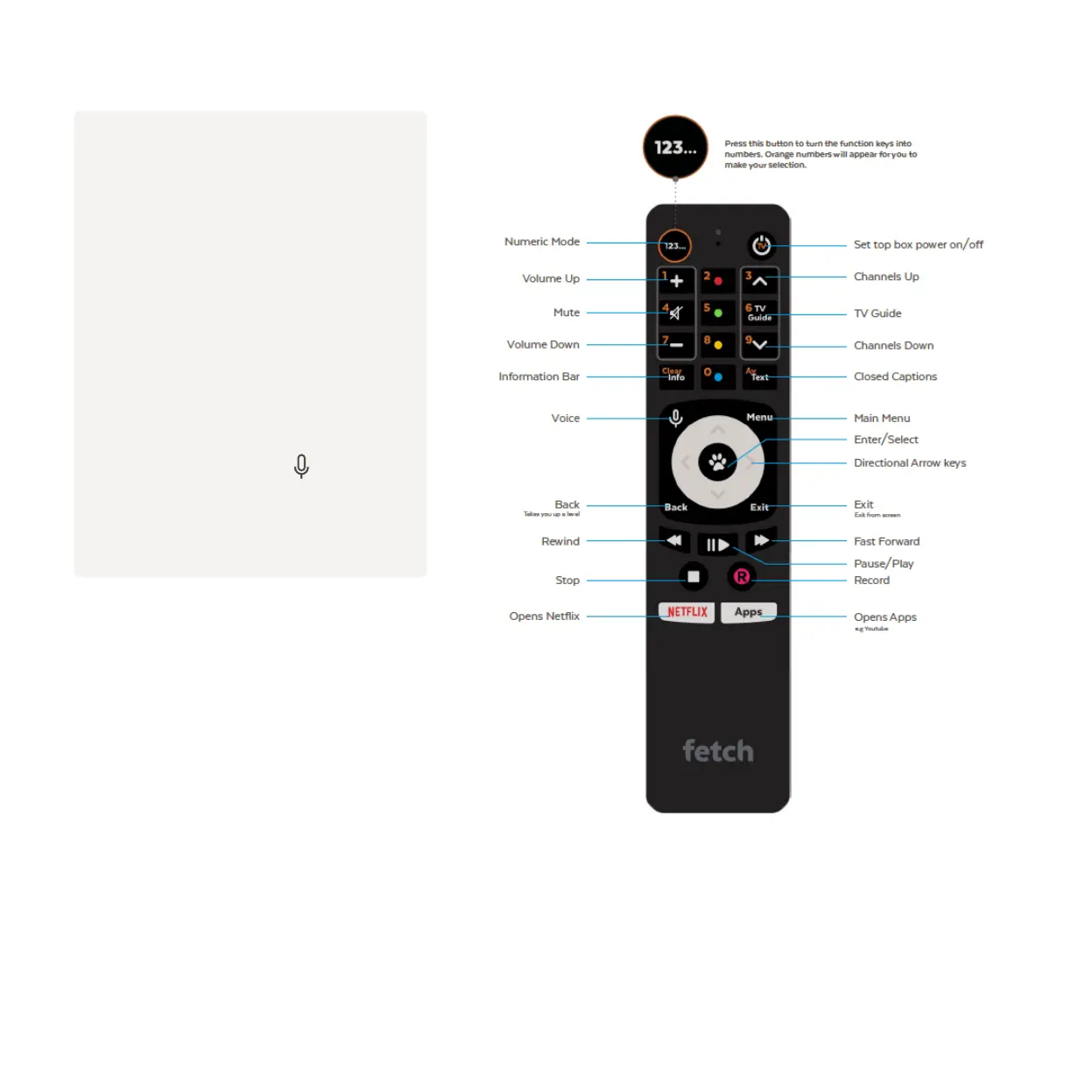
The included remote varies depending on
where you got your Fetch Mighty. The Voice
Remote is available for purchase at
fetchtv.com.au/voice.
Your Fetch Mighty will pair your remote for
you using Bluetooth when you first set up
your box or you can do it later at
Menu > Manage > Settings > Remote Control.
For voice control, hold down and
speak into the microphone at the top of the
remote.
If your remote looks different to the images above, more information on Fetch remotes is available at
fetch.com.au/remote.


 To Next Page