13
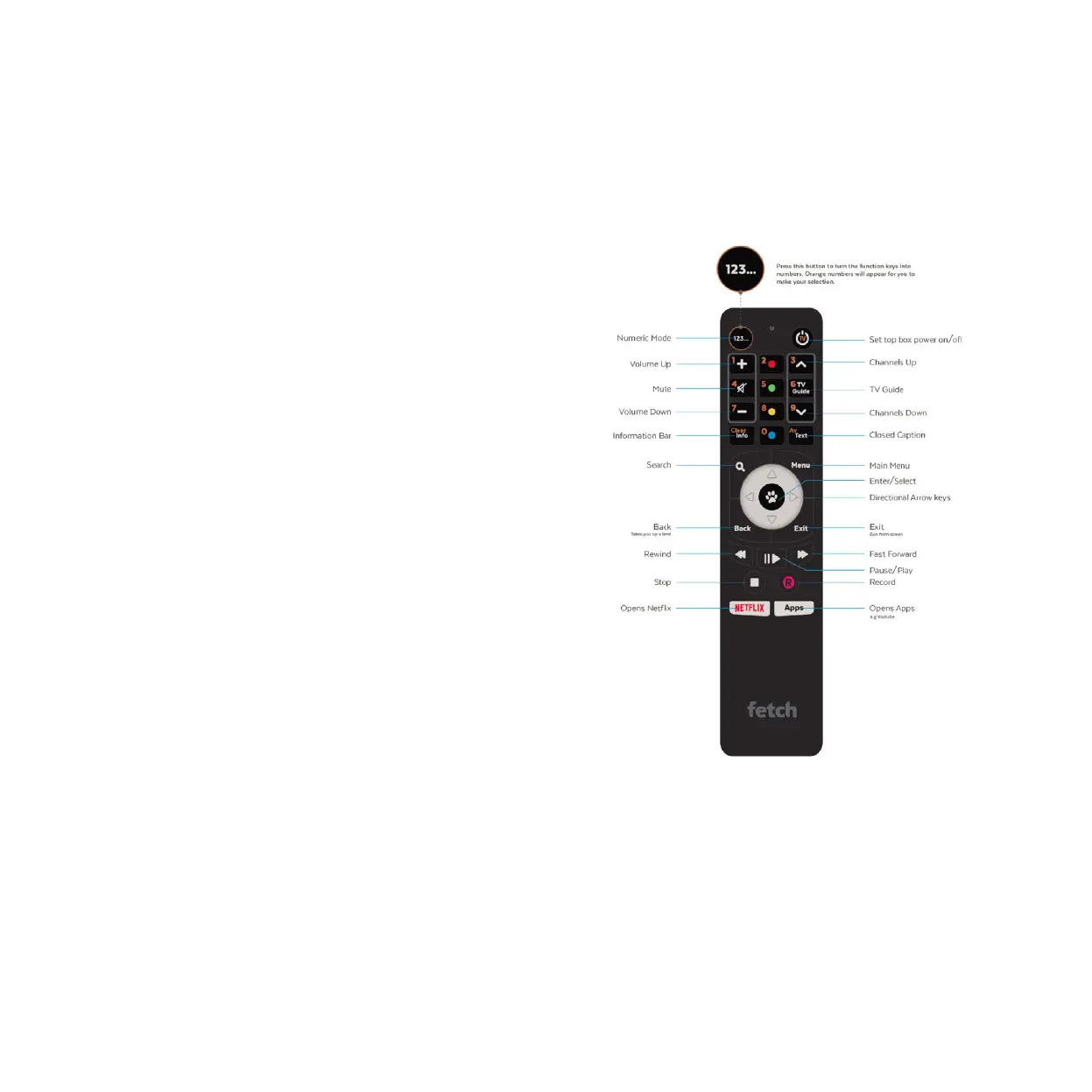
The remote control brings Fetch to life every time you use it. It has all the functions you need
for quick and easy viewing. To make your remote control work, remove the battery cover,
insert the two batteries supplied, and replace the cover.
Remote Control
Set Up Universal Remote
You can use the Fetch remote to operate your TV as well as your
Fetch Mighty. Your Fetch Mighty will try to set up your remote for you
when you first set up your box but if that didn’t work, you can set it
up by going to Menu > Manage > Settings > Remote Control.
For more information go to fetch.com.au/guides and download the
Universal Remote Instructions.


 To Next Page