
 Need help?
Do you have a question about the Fetch M616T and is the answer not in the manual?
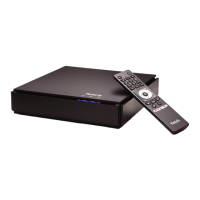
Identify the components included with your Fetch Mighty.
Connect your Fetch Mighty wirelessly to your modem.
Connect your Fetch Mighty using an Ethernet cable.
Connect your Fetch Mighty via data cabling and Ethernet wall sockets.
Connect the TV antenna cable to your Fetch Mighty.
Connect your Fetch Mighty to your TV via HDMI.
Connect the power supply to the Fetch Mighty and wall socket.
Understand the meaning of the Fetch Mighty status lights.
Pair your Fetch Voice Remote with the Fetch Mighty.
Configure the Wi-Fi connection for your Fetch Mighty.
Complete setup steps on the Welcome Screen.
Pair the Fetch mobile app with your Fetch Mighty.
Set up the Fetch remote to control your TV and Fetch Mighty.
Identify the controls and indicators on the front of the Fetch Mighty.
Understand the input/output ports on the back of the Fetch Mighty.
Resolve display resolution and aspect ratio problems.
Check connections and TV input sources for proper operation.
Restart the Fetch Mighty to resolve temporary issues.
Troubleshoot broadband connection and Wi-Fi issues.
Resolve problems with the Fetch remote control.
Input/output ports and connectors for the 3rd Gen Mighty.
Additional technical specifications for the 3rd Generation Fetch Mighty.
Input/output ports and connectors for the 4th Gen Mighty.
Additional technical specifications for the 4th Generation Fetch Mighty.
Compliance standards for Fetch Mighty Product Code M616T.
Compliance standards for Fetch Mighty Product Code M681T.
Access and download various Fetch Mighty user guides.

 To Next Page
 General