Go to fetco.com for the latest versions of all information Page 5 User Guide & Operator instructions P171 NEW MARCH 2018
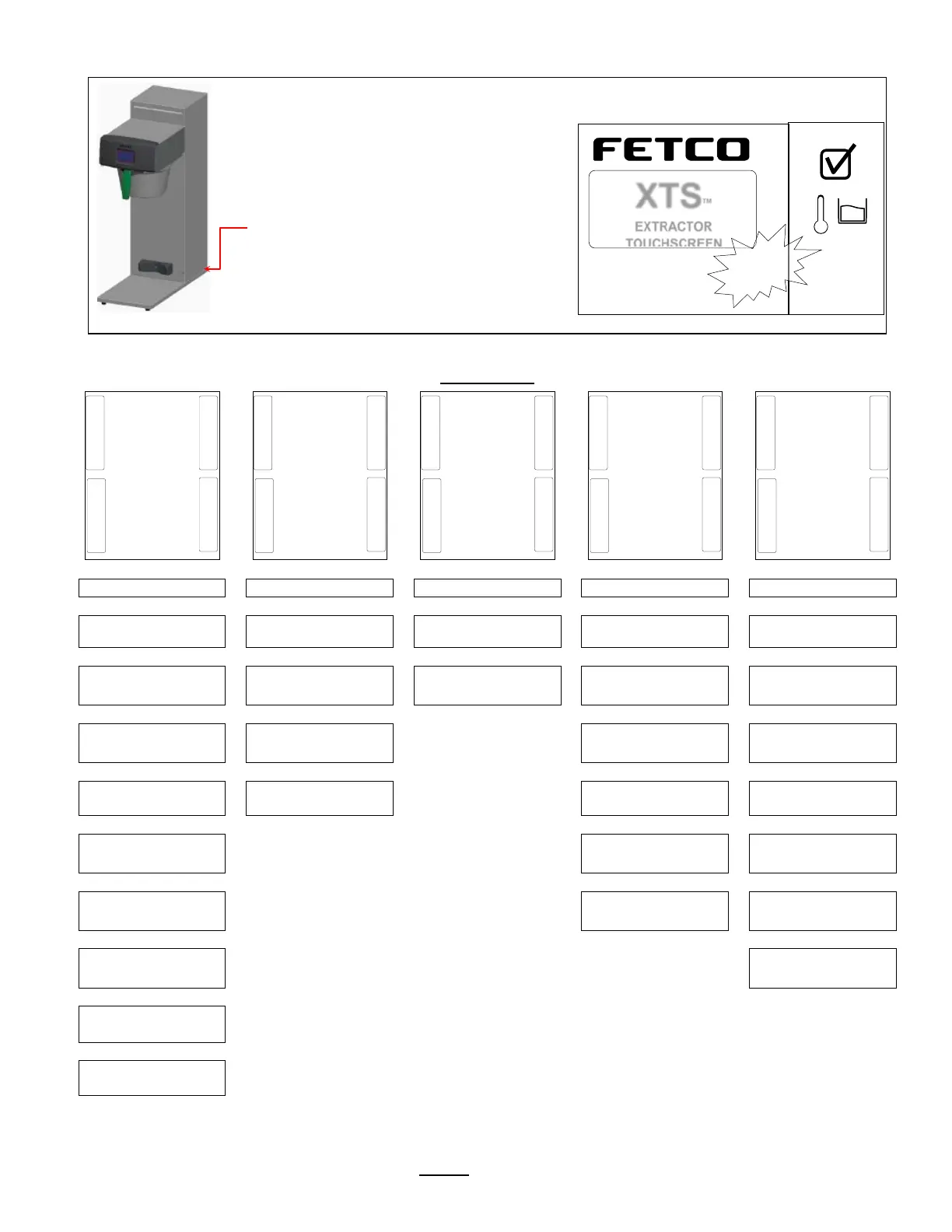
Instructions to access the Programming Menu
To access programming
Power-off then power-on the equipment…
1) Switch CBS-2111 power “OFF”
and then
2)Turn main power switch to “ON”
(switch is located on the lower back)
The touch screen will illuminate.
Immediately
Touch and hold finger to enter programming
-8 seconds “PROGRAM” screen will
appear. “PROGRAM” in first column below
.
Programming-category screens: Menu Tree Menu Features: Batch Parameters
Display Inputs
<Inputs Summary>
Brew Valve
<Calibrate/Test>
Error Codes
<Display Errors>
Batch 2
<Batch ON/OFF>
Brew at Temp
<AUTO>
Bypass Valve
<Calibrate/Test>
Copy Program
<From SD to B.>
Batch 3
<Batch ON/OFF>
Units of Measure
ForTemperature & Volume
Fill Valve
<Test>
Upload LOGO
LOGO Timeout
<1:00 mm:ss>
Reset to Factory
<Restore to Default>
Batch 5
<Batch Summary>
Buzzer
<Test>
Counters
<Display Total Counter>
Batch 6
<Batch ON/OFF>
Screen
<Screen Contrast>
Firmware
<Firmware Version>
Batch 7
<Batch ON/OFF>
DEMO Mode
Batch 8
Batch Copy
<Copy From B.>
<Ready Temp>
< Batch 1 >
<Display Inputs>
<Brew Valve>
<Error Codes>
TBS_2111
©2016 all rights reserved
™
EXTRACTOR
90°C
and



 To Next Page