Page 14
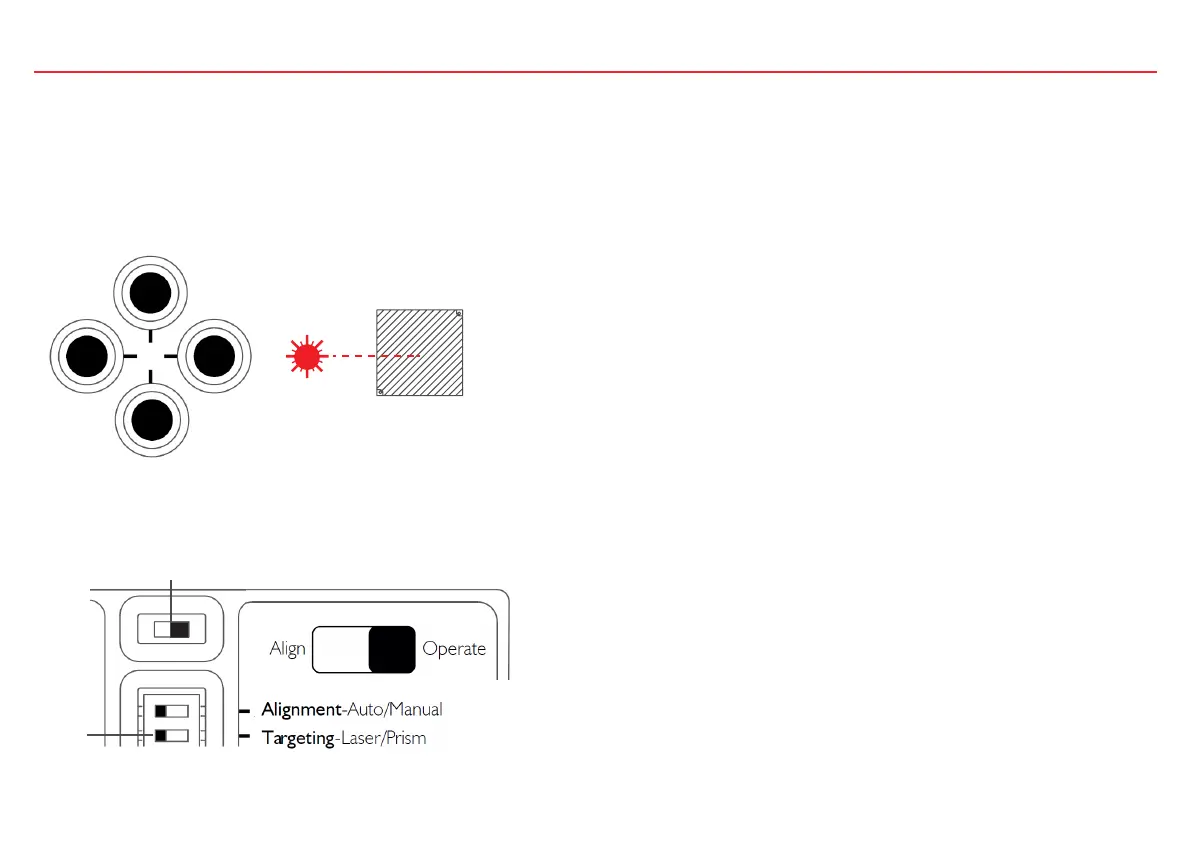
3. If a reflector is already mounted use the direction keys to move the laser point towards the centre of the reflector.
If the reflector is not yet mounted you can also use the direction keys to move the laser point towards the intended reflector mounting position.
After mounting the reflector make sure that the laser point appears approximately in the centre of the reflector. If the laser cannot be seen, for
example in very bright environments or over long distances, then the Prism Targeting mode can be used: see chapter ‘Prism Targeting’.
1
2
4. To begin the Automatic Alignment move the slide switch to ‘Operate’



 To Next Page