47Capron - 04-17 - CAP-0017-01EN
Living
7
To place the hinged window into the "continuous ventilation" position:
Press the safety knob (Fig. 23,1) and keep it pressed.
Turn the catch lever (Fig. 23,3) a quarter turn towards the centre of the
window.
Lightly open the hinged window outwards.
Return the catch lever to its initial position. Move the locking catch
(Fig. 23,3) on the catch lever into the recess of the window catch
(Fig. 23,4).
Release the safety knob (Fig. 23,1).
Make certain that the safety knob is not pushed in but rather that it secures
the catch lever.
During the journey, the hinged window may not be in "continuous ventilation"
position.
If it rains, the "continuous ventilation" hinged window position could lead to
splashing water penetrating the living area. Therefore, close the hinged win-
dows completely.
7.4.3 Roman shade for windscreen and side panes
Closing Roman shade
(windscreen):
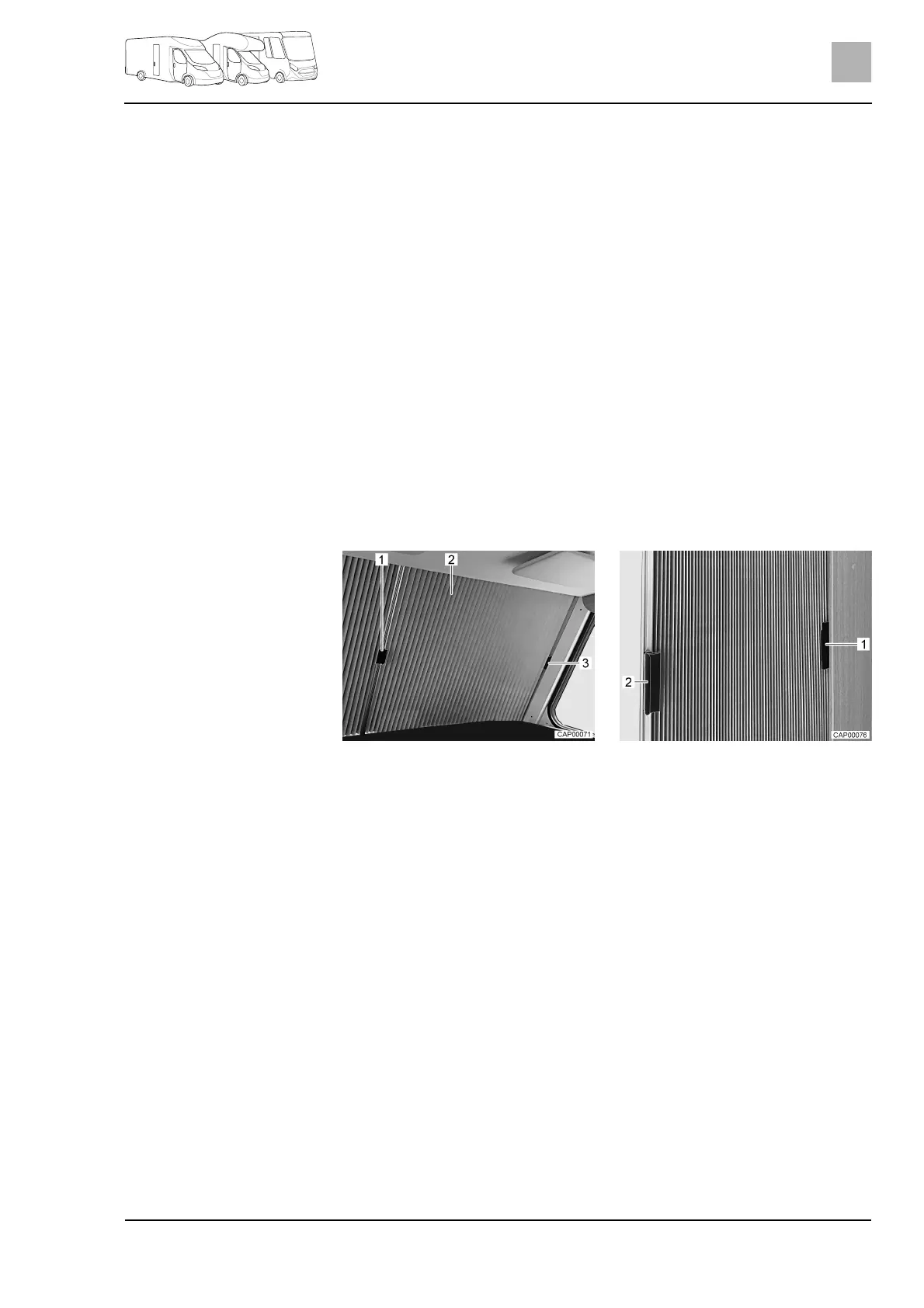
Pull the respective handle (Fig. 24,1) of both halves of the Roman shade
(Fig. 24,2) carefully towards the centre of the windscreen until the magnetic
catch holds the Roman shade in closed position.
Opening Roman shade
(windscreen):
Push the respective handle (Fig. 24,1) of both halves of the Roman shade
(Fig. 24,2) outwards, underneath the cover on the A column.
Fix the handles respectively by plugging them onto the cover (Fig. 24,3).
Closing Roman shade
(side pane):
Close the Roman shade by pulling the respective handle (Fig. 25,1).
Opening Roman shade
(side pane):
Push the handle (Fig. 25,1) of the Roman shade into the cap (Fig. 25,2).
Fig. 24 Roman shade for windscreen
(closed)
Fig. 25 Roman shade for side pane
(closed)



 To Next Page