58 Capron - 04-17 - CAP-0017-01EN
Living
7
Hold the flat screen and pull the catch pin (Fig. 43,2).
Swivel the flat screen downward into the desired position. If it is hard to
move the flat screen, open the adjustment knobs (Fig. 43,1) slightly on both
sides of the holder.
Rotate the flat screen into the desired position. Tighten the adjustment
knobs (Fig. 44,1) by hand.
Bringing the flat screen into
the driving position:
Rotate the flat screen until it is parallel to the cabinet front.
Open the adjustment knobs (Fig. 44,1) slightly on both sides of the holder.
Swivel the flat screen upwards while pulling the catch pin (Fig. 43,2).
When the flat screen is touching the bracket, release the catch pin
(Fig. 43,2). The catch pin must engage in the hole of the holder.
Push the flat screen horizontally into the TV compartment as far as it will
go.
Close the TV compartment.
Flat screen on cabinet
wall
The flat screen is attached to a pull-out inside or outside of the cabinet wall.
Depending on the position, the catch spring will be located on the top or the
bottom.
Bringing the flat screen into
the television position:
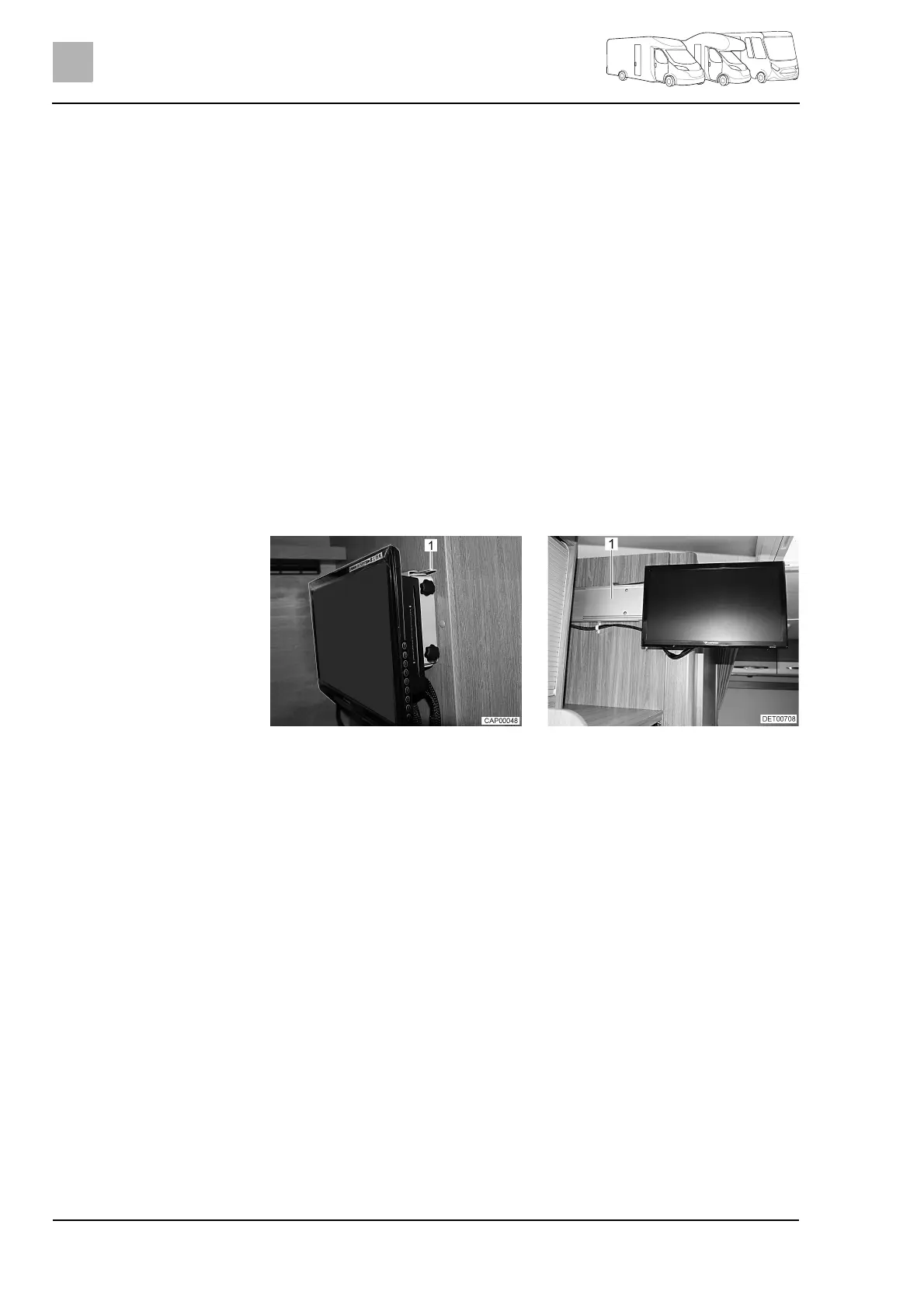
Release the catch spring (Fig. 45,1).
Pull the flat screen out horizontally toward the centre of the vehicle.
Rotate the flat screen into the desired position.
Bringing the flat screen into
the driving position:
Rotate the flat screen until it is parallel to the cabinet wall.
Push the flat screen horizontally into the holder (Fig. 46,1) as far as it will
go. The catch spring (Fig. 45,1) engages audibly.
Fig. 45 Flat screen in driving position Fig. 46 Flat screen in television
position



 To Next Page