85Capron - 04-17 - CAP-0017-01EN
Electrical system
9
Connecting the vehicle: Check whether the power supply device is suitable regarding connection,
voltage, frequency and current.
Check whether the cables and connections are suitable.
Check the plug connectors and cables for visible damage.
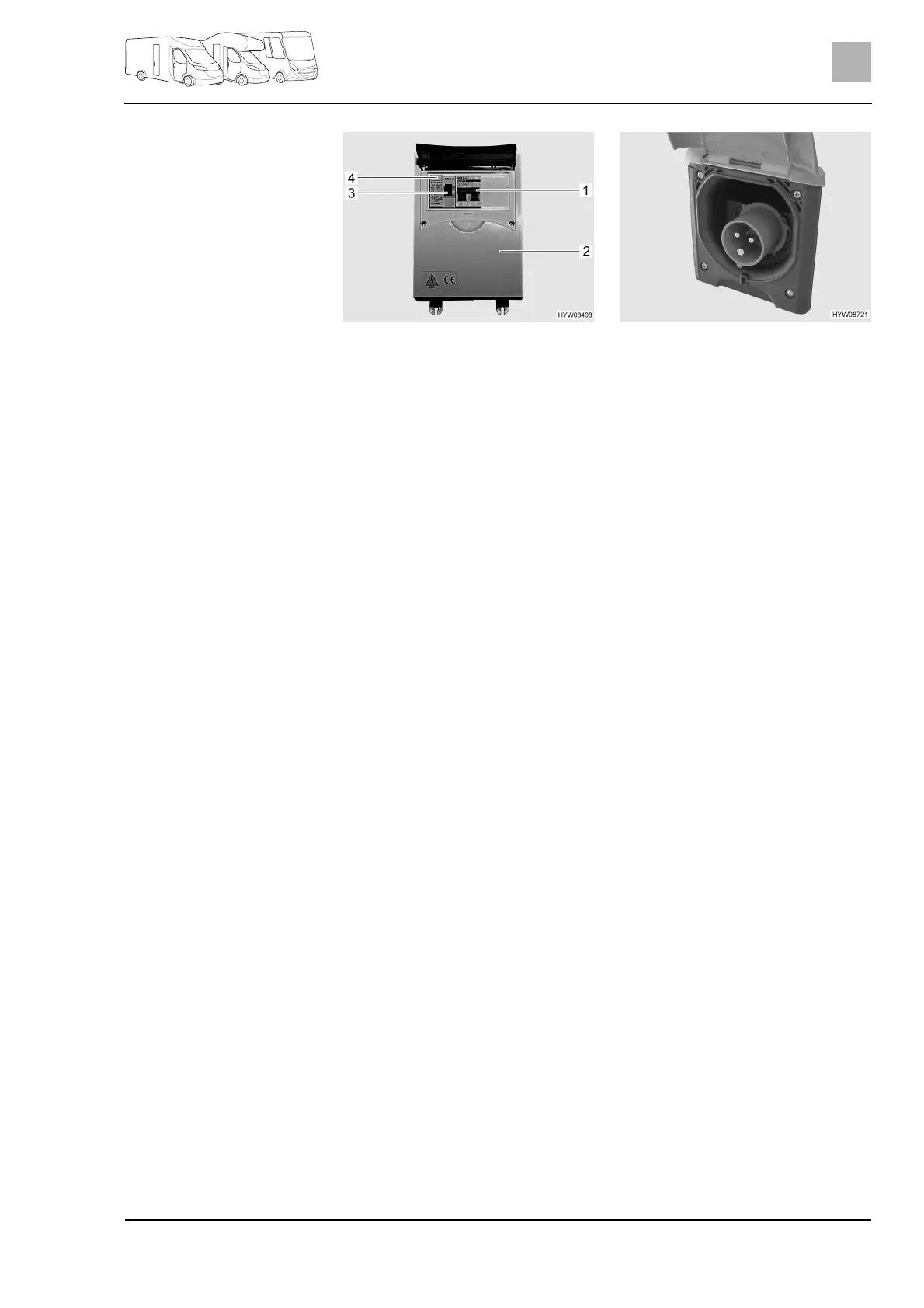
Switch off the safety cut-out (Fig. 70,1) in the fuse box (Fig. 70,2).
Open the cover of the 240 V connection on the vehicle (Fig. 71) and insert
the plug connector. Ensure that the detent of the spring-mounted pivoting
cover is engaged in position.
Plug the connector of the connecting cable into the socket of the power
supply device. Ensure that the detent of the spring-mounted pivoting cover
is engaged in position.
Switch on the safety cut-out in the fuse box.
Checking the fault current
protection switch:
When the vehicle is connected to the 240 V supply, press the test button
(Fig. 70,4) of the fault current protection switch (FI-switch) (Fig. 70,3) in the
fuse box (Fig. 70,2). The fault current protection switch must trip.
Switch the fault current protection switch back on again.
Unplugging the connection:
Switch off the safety cut-out (Fig. 70,1) in the fuse box (Fig. 70,2).
Loosen the detent on the power supply device and unplug the connection
cable from the socket.
Loosen the detent on the vehicle, unplug the plug connector and close the
cover of the 240 V connection.
Fig. 70 240 V fuse box with safety
cut-out and FI-switch
Fig. 71 240 V connection on the
vehicle (CEE socket outlet)



 To Next Page