FRONT FOG
LIGHTS/REAR FOG
LIGHTS
(For 2.3 150 ECOJET versions)
With the dipped beam headlights on,
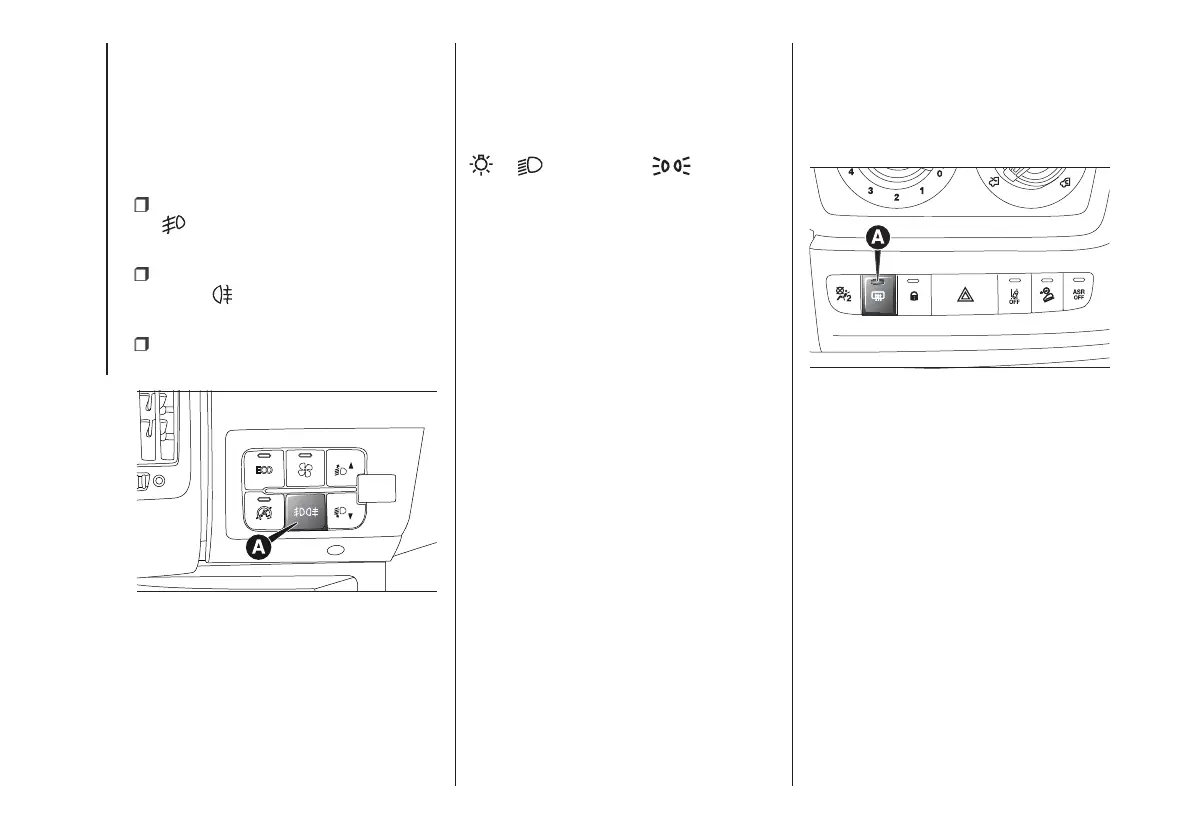
use the button A fig. 50 to turn on
the front/rear fog lights, as follows:
first press: turns on the fog lights,
the
warning light on the instrument
panel will turn on;
second press: turns on the rear fog
lights, the
warning light on the
instrument panel will turn on;
third press: turns off the front/rear
fog lights.
PARKING LIGHTS
These lights can only be turned on with
ignition key in the STOP position or
removed by moving the left stalk ring
first to the O position and then to the
or position. The warning
light switches on in the instrument
panel.
ECO FUNCTION
(For versions/markets, where provided)
Press the ECO button fig. 50 to enable
this function. When the function is
enabled, the corresponding LED on the
button turns on together with an icon
and a message on the display.
This function is memorised, so when
the vehicle is started again, the system
keeps the setting it had before the
engine was stopped. Press the ECO
button again to disable the function and
restore the normal driving setting.
In the event of a malfunction with the
function on, the system automatically
disables the ECO function and restores
the normal driving setting.
HEATED REAR WINDOW
(for versions/markets, where provided)
Press button A fig. 51 to enable. The
device will be switched off automatically
after approximately 20 minutes.
MODE
50
F1A0438
51
F1A0330
30
KNOWING YOUR VEHICLE













 To Next Page