16
Parking lights: with the ignition device
in the STOP position/key removed,
turn the ring to /AUTO/ , then to
(movement (1)).
High beam: with the ignition device in
MAR position and ring (A) in position
push the stalk forward towards
the dashboard (stable position) (2)
(fig.18). The warning lamp on the
instrument panel switches on.
Flashing: with ring (A) in position
pull the stalk (3) (fig.18) towards you
and release it. The warning light on
the instrument panel switches on.
DIRECTION INDICATORS
Raise/lower the stalk beyond the stiff
point to activate the left/right direction
indicators.
AUTO FUNCTION
(Dusk sensor)
This system (where provided) switches
the headlights on/off automatically
according to the environmental light.
Activation: with ignition device in MAR
position, turn the ring (A) to
or
AUTO (according to the versions).
Deactivation: turn the ring to a position
other than
or AUTO (according to
the versions).
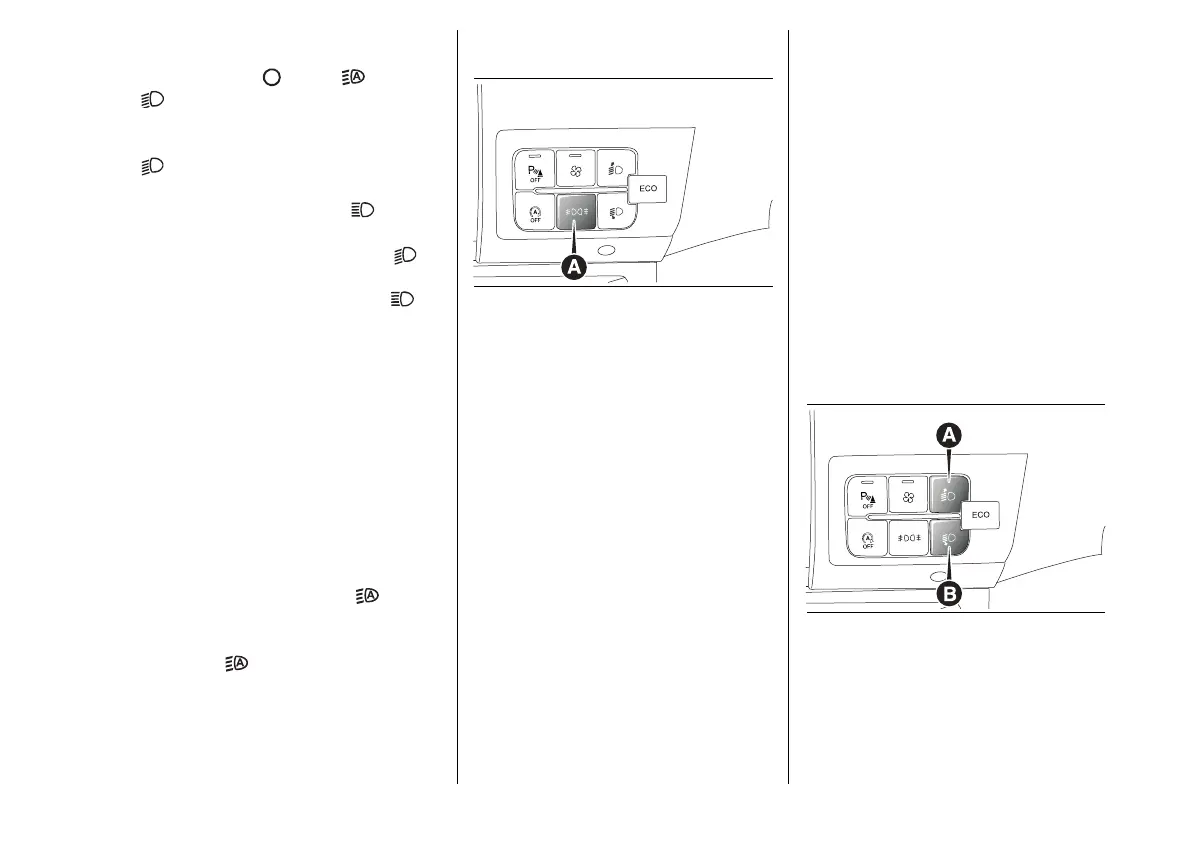
FOG LAMPS / REAR FOG
LAMPS
19 F1A0689
Switching on the fog lamps (where
provided): press button (A) fig.19
once.
Switching on the rear fog lamps: press
button (A) again.
Switching off the fog lamps/rear fog
lamps: button (A) three times with the
dipped beam headlights off.
Switching off fog lamps only (where
provided): press button (A) three times
with the dipped beam headlights on.
Switching off the rear fog lamps: press
button (A) four times with the dipped
beam headlights on.
COURTESY LIGHTS
With the ignition device in the STOP
position, the side lights and number
plate lights can be activated for a time
of 30, 60 or 90 seconds. This function
can be adjusted from the display
menu or from the Uconnect™ system.
HEADLIGHT ALIGNMENT
CORRECTOR
Contact a Dealership to have the
headlight direction checked and
adjusted.
With the ignition device in the MAR
and the side lights and dipped beam
headlights on, press the button (A)/(B)
fig.20.
20 F1A0690







 To Next Page