ODOMETER / TRIP METER
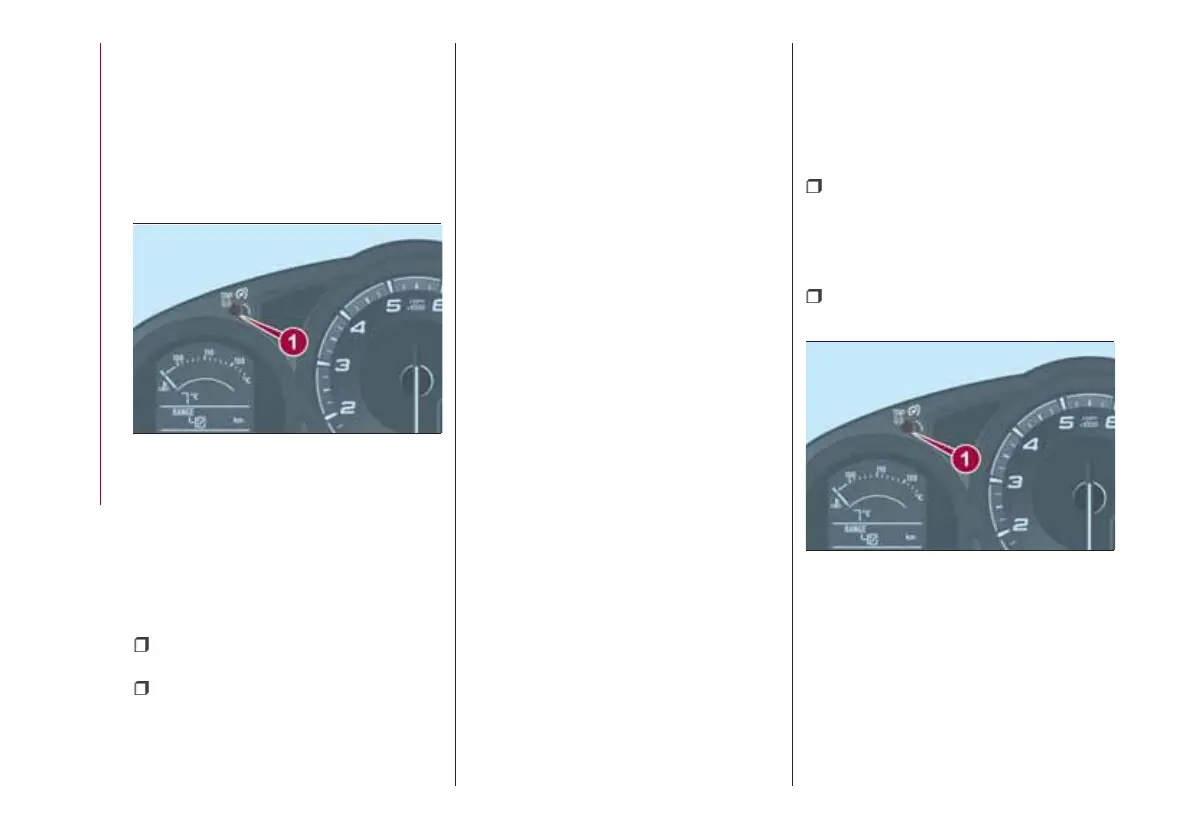
The display mode can be changed from
odometer to “Trip meter A” to “Trip
meter B” and then back to odometer by
pressing the selector 1 fig. 50 while one
of them is displayed. The selected
mode will be displayed.
When the ignition is switched to ACC or
OFF, the odometer or trip meters
cannot be displayed, however, pressing
the selector can inadvertently switch
the trip meters or reset them during an
approximate ten-minute period in the
following cases:
after the ignition is switched to off
from ON;
after the driver's door is opened.
Trip meter
The trip meter can record the total
distance of two trips. One is recorded in
“Trip A”, and the other is recorded in
“Trip B”.
For instance, “Trip A” can record the
distance from the point of origin, and
“Trip B” can record the distance from
where the fuel tank is filled.
Use this meter to measure trip
distances and to compute fuel
consumption.
Versions with Radio 7”: if the fuel
economy data is reset using the fuel
economy monitor, or Trip A is reset
using the trip meter when the function
which synchronizes the fuel economy
monitor and the trip meter is on, the
fuel economy data and Trip A are reset
simultaneously.
NOTE Only the trip meters record
tenths of kilometers (miles).
Trip meter reset
The trip meter will be erased when the
power supply is interrupted (blown fuse
or the battery is disconnected) or when
the vehicle is driven over 9999.9 km
(mile).
INSTRUMENT PANEL
ILLUMINATION
Brightness adjustment
The brightness of the instrument cluster
and dashboard illuminations can be
adjusted by rotating the knob 1 fig. 51:
the brightness decreases by
rotating the knob to the left. A beep
sound will be heard when the knob has
been rotated to the maximum dim
position;
the brightness increases by
rotating the knob to the right.
Cancelling illumination dimmer
Rotate the knob to the right until a beep
sound is heard while the instrument
cluster is dimmed with the ignition
switched ON. If the instrument cluster's
visibility is reduced due to glare from
surrounding brightness, cancel the
illumination dimmer.
50
05020102-121-001
51
05020102-121-001
48
KNOWING THE INSTRUMENT PANEL










 To Next Page