PRINT OPTIONS 97
Duplex printing
TO PRINT DUPLEX (DOUBLE-SIDED) PAGES
1 In your application, choose File > Print, select the E100 as your printer, and do one of the
following.
Mac OS X: Choose Fiery Features from the drop-down list, click Full Properties in the Quick
Access pane, and then select Normal on the Layout tab.
Windows: Click Properties, and then click the Layout icon.
2 Choose one of the Duplex settings:
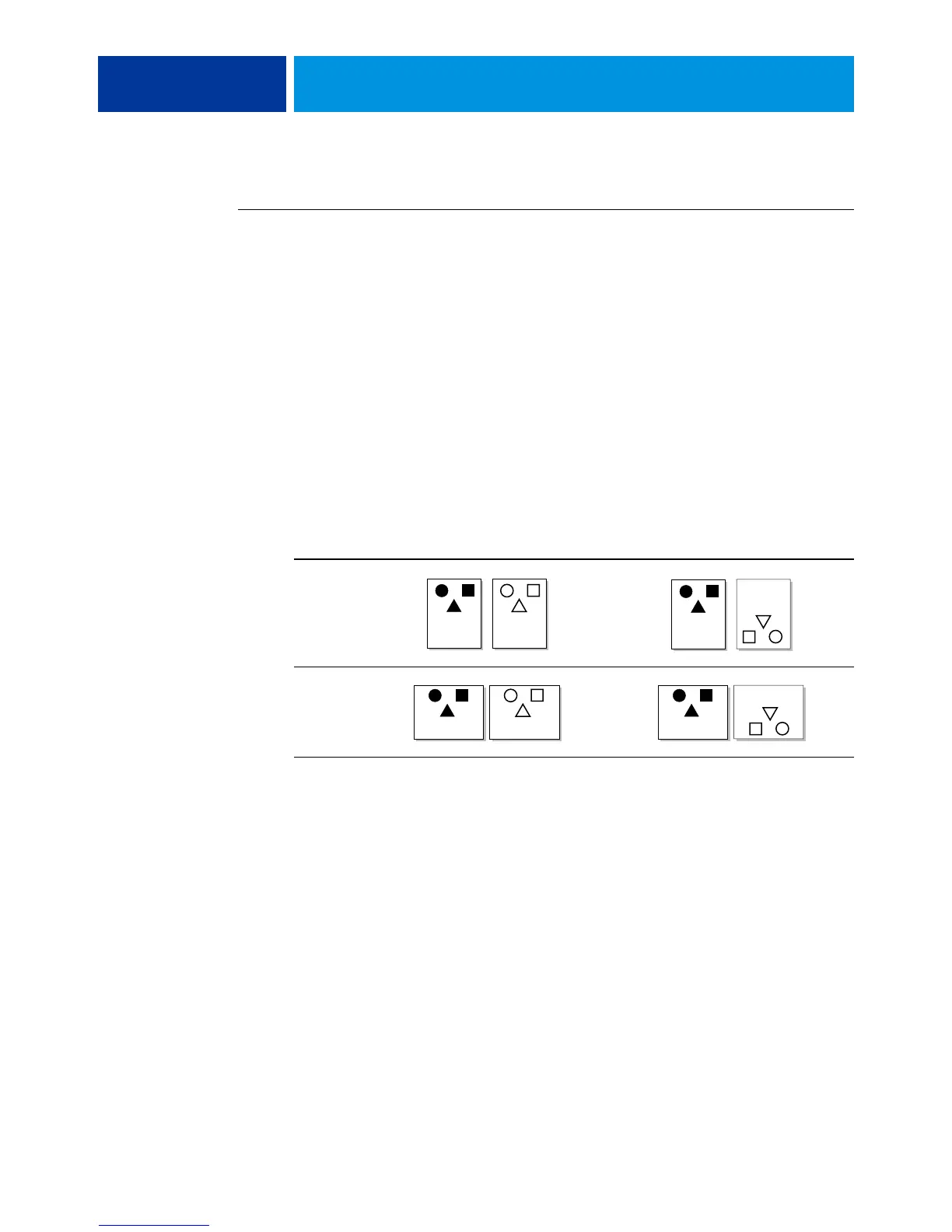
Head to Head:
Prints the top of the image on Side 1 on the same edge of the page as the top of
the image on Side 2.
Head to Toe: Prints the top of the image on Side 1 on the opposite edge of the page from the
top of the image on Side 2.
The following table shows how the Duplex settings correspond to printed output.
3Print the job.
Head to Head Head to Toe
Portrait
Landscape
1 2
1
2
1 2
1
2



 To Next Page