SUPPLEMENTARY OPERATING MANUAL 2
2-
7
05-19-06 CDP-01 Figure Sheet 1-900
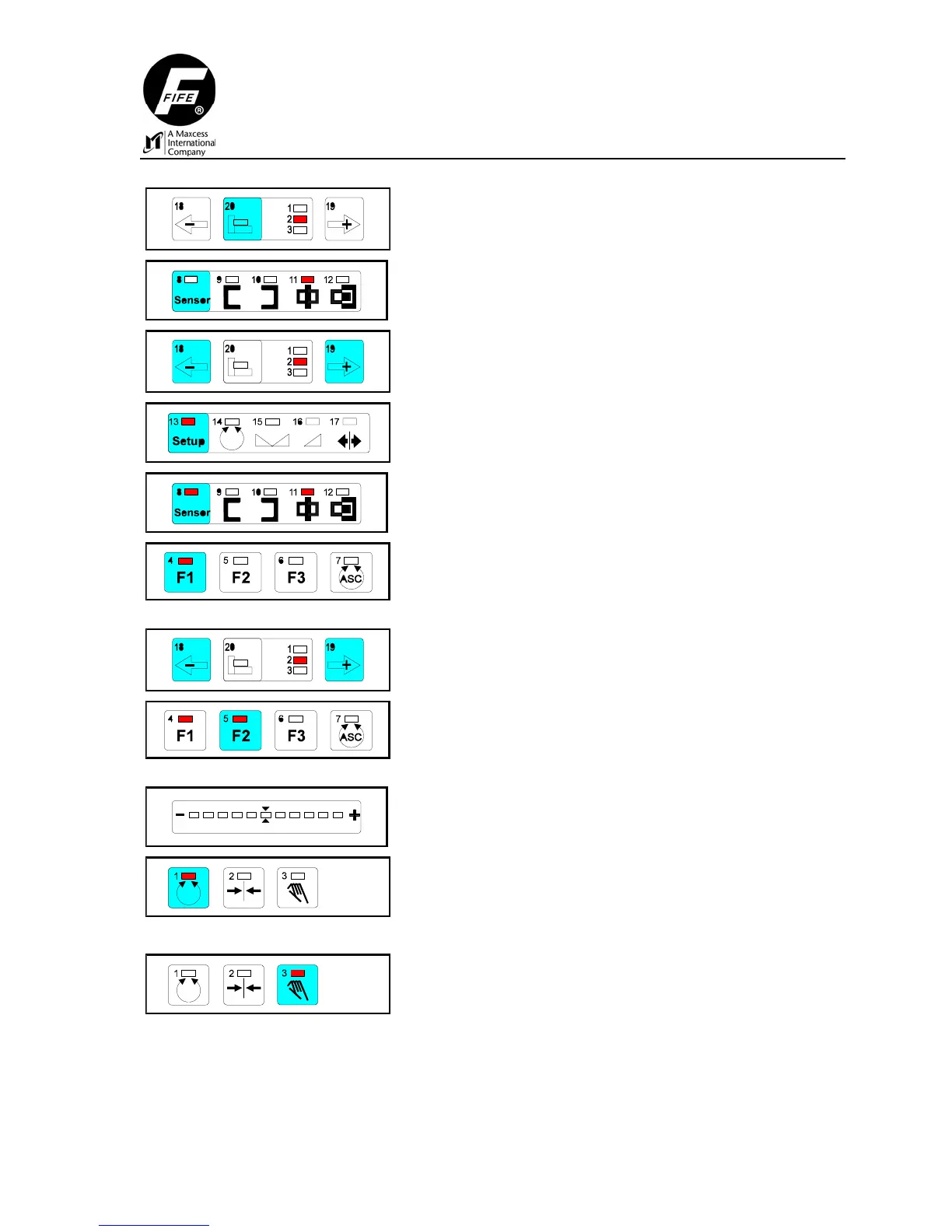
Select Drive 2 by pressing key 20.
Press the Sensor key repeatedly until LED 11 is lit.
Press and hold the Left or Right Jog key until the
mandrel is located at the end of the stroke in the same
direction that the sensor positioner was retracted.
Press the Setup key.
Press the Sensor key.
Press the F1 key
Check: LED 4 lit.
Press and hold the Left or Right Jog key until the
mandrel is located at the end of the stroke in the
opposite direction that the sensor positioner was
retracted.
Press the F2 key.
Check: LED 5 lit.
The LED bar graph indicates contrast. If the contrast is
too low an error message is displayed (left and right
outer LEDs flash).
Press the Automatic key to store the settings.
or
Press the Manual key to abort the procedure.



 To Next Page