English Bluetooth Headphone Amplifier
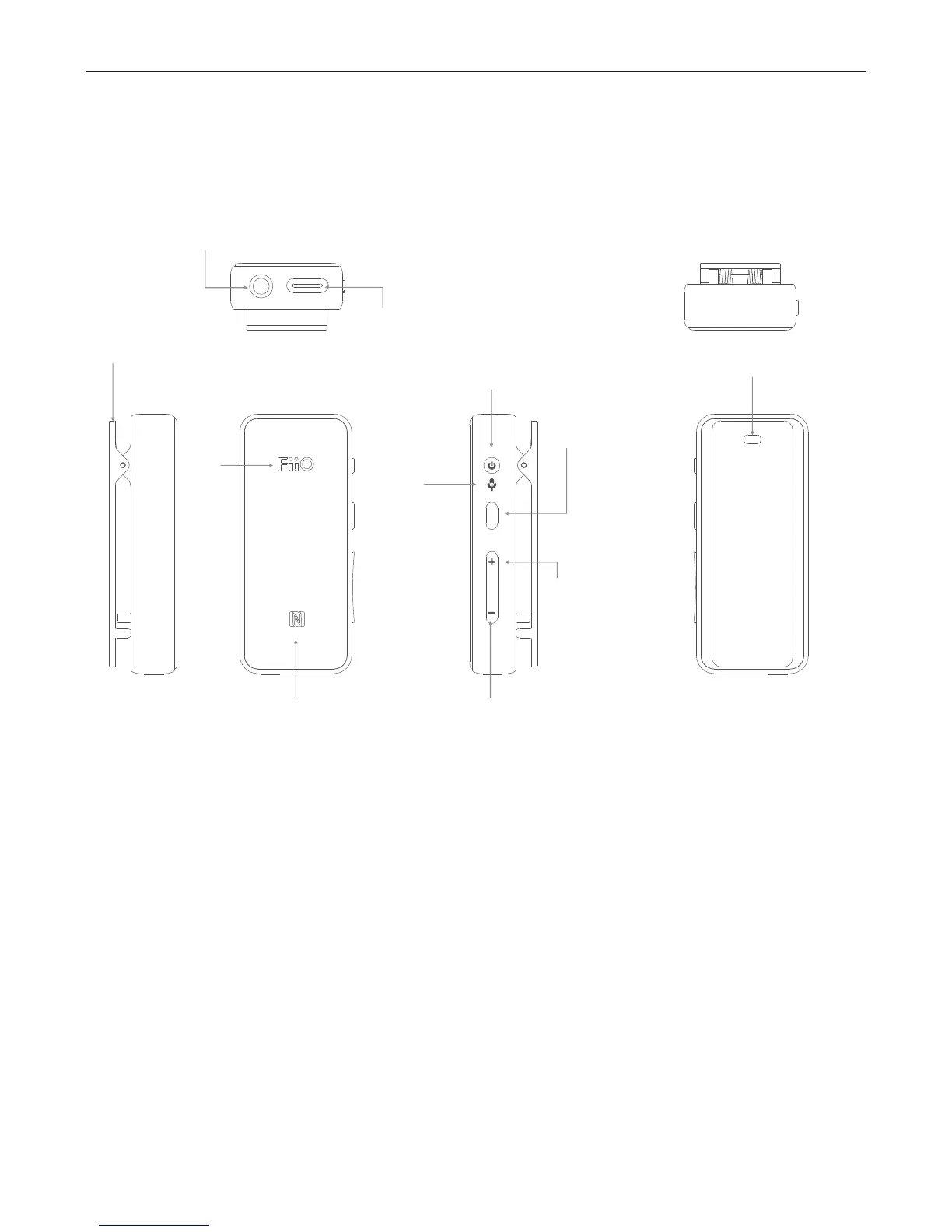
Buttons and Ports Labeled/
Operation Explained
3.5mm headphone port
Type C USB charging port
NFC detecting area
Status indicator
Clip
Power
Microphone
C:Vol down / Next track
A:Multifunctional
button
B:Vol up /
Prev. track
Lanyard hole
Functions & Operations
•Power on/off: Hold the Power button for
about 3 seconds until the blue light flashes for
three times, and the device will then power
on/off.
•Reset: Hold the Power button for about 10
seconds at any time.
•USB DAC mode: can be switched to Manual / Auto
mode via the App.


 To Next Page