21
you are recommended not to modify the file name.
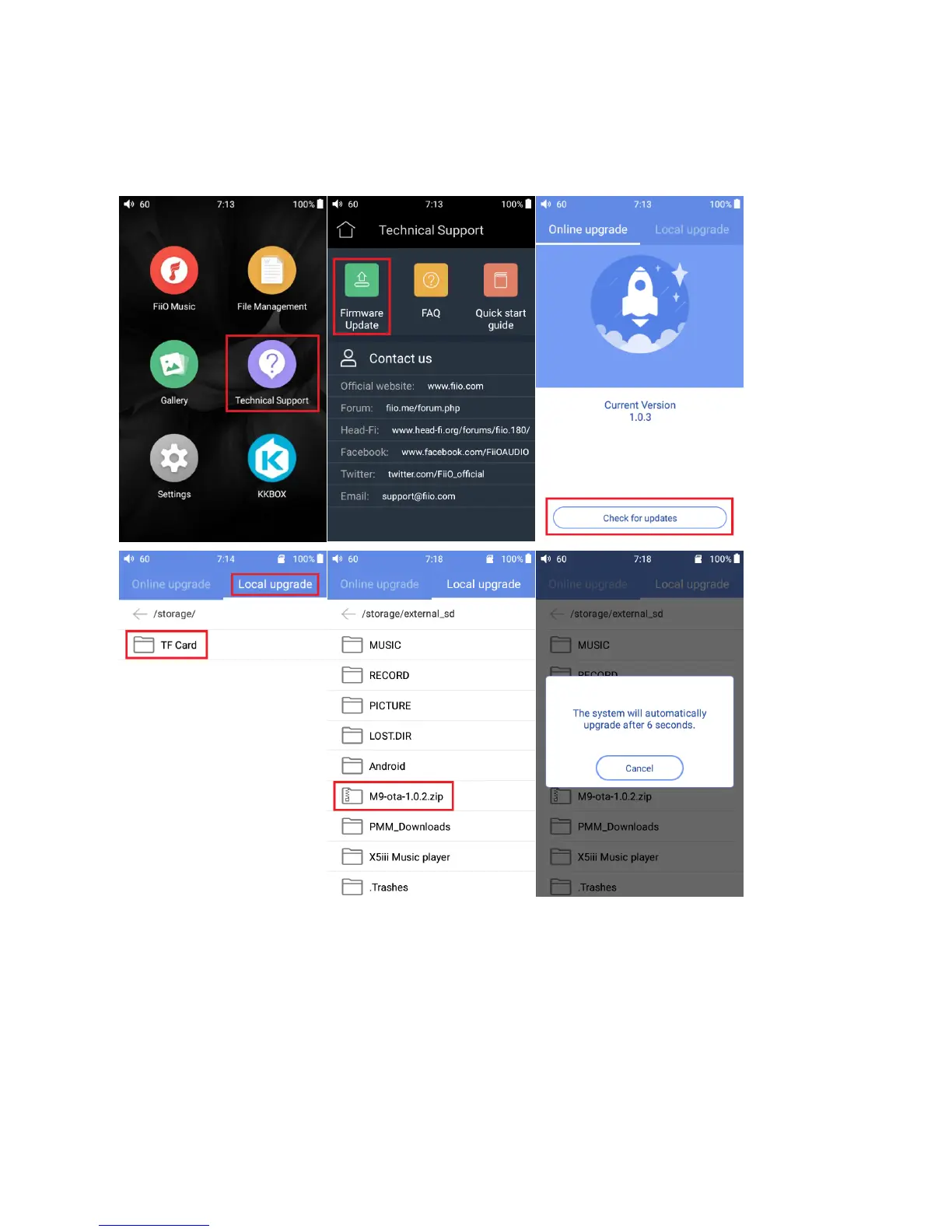
2. Press “Technical Support >Firmware Update>Local upgrade” accordingly, locate the firmware file
in the “Local upgrade” interface, and then choose the firmware file.
3. Press “confirm" button on the prompt window, and then M9 will be rebooted and the update will
be completed automatically.
Attention
1. Please ensure the battery power is more than 30%, or the device is connected to a power supply.
2. Please ensure the firmware file is selected.
3. Please do not perform any operation on M9 while updating, and if the update is not successful,


 To Next Page