The Fillmaster Pro™ is an integrated reconstitution and flavoring system designed to streamline the dispensing of liquid medications in pharmacies. It combines features from FLAVORx® and Fillmaster® to offer a fast, accurate, and user-friendly solution for preparing and flavoring medications.
Function Description:
The primary function of the Fillmaster Pro™ is to reconstitute powdered medications by dispensing the precise amount of water required and to provide flavoring options for both reconstituted and commercially prepared liquid medications (including OTCs). It aims to improve efficiency, accuracy, and customer experience in pharmacies.
Usage Features:
- User-Friendly Interface: The device features a digital touch screen display with clear navigation options.
- NDC/UPC Barcode Scanning: Users can scan the NDC/UPC barcode on medication bottles to automatically queue the required water volume for reconstitution and access recommended flavoring options. This eliminates the need for manual data entry for over 7,000 NDC numbers.
- Manual NDC Entry: For cases where scanning is not possible, users can manually type in the 11-digit NDC number via the touch screen.
- Reconstitution & Flavoring Process:
- Scan the UPC barcode on the medication bottle.
- Confirm drug name, strength, and volume on the screen.
- Select "Recon + Flavor" on the touchscreen.
- Choose a flavor from the displayed options. "Best matches" are illuminated.
- Press "OK" to begin reconstitution; the first half of the water will dispense.
- Press "Dispense" again for the second half of the water.
- Follow on-screen directions to customize the taste of the medication.
- Reconstitution Only Process:
- Scan the UPC barcode on the medication bottle.
- Confirm drug name, strength, and volume on the screen.
- Select "Recon only" on the display.
- Press "OK" to begin reconstitution.
- For manual water entry, press "Menu," then "Manual Operation," and enter the amount in mLs.
- Flavoring Only Process:
- Press "Scan" on the touch screen.
- Scan the UPC barcode on the medication bottle and confirm the drug name, strength, and volume.
- Press "Flavor Only" on the display for flavoring instructions.
- Select the desired flavor.
- Enter the volume of medication being dispensed.
- Recipe will appear on screen, follow directions.
- Flavor Selection: The device recommends "best match" flavors for specific medications, which are highlighted on the screen. Users can select a flavor by pressing its image.
- Reflavoring Capability: In most cases, medications previously flavored with FLAVORx® or OTCs can be reflavored with a different taste if requested by the customer.
- Dispensing Tip: It is important not to insert the dispensing tip directly into the medication bottle when dispensing.
- Barcode Scanning Tips: Hold the barcode approximately 3 inches away and parallel to the scanner window, moving it side to side. Ensure the prescription label does not cover the barcode.
- Menu Guide: The touch screen includes a "Menu" button that provides access to various functions:
- Calibration: Allows calibration of the machine to dispense to the tenth of an mL.
- Audio: Turns audio on or off.
- Support: Provides Fillmaster Tech Support phone number (1-800-284-7873) and web support email (info@fillmastersystems.com).
- Dispense Water: Dispenses a specified amount of water in mLs (useful for purging).
- Tutorials: Offers demos and information about the machine.
- Screensavers: Sets a screensaver for when the machine is idle.
- Simulation: Turns simulation mode on or off.
- Reminders: Sets reminders for changing tips or calibrating the machine.
- Reset Defaults: Returns all settings to factory specifications.
- Version Info: Displays the current software and database version.
Important Technical Specifications:
- NDC Database: Supports over 7,000 NDC numbers.
- Accuracy: Dispenses water to the tenth of an mL after calibration.
- Components: The package includes the Fillmaster Pro™ Dispenser, NDC Database (SD Card), Power Supply, Installation Hardware, FLAVORx® Marketing Materials, and 50' 1/4 White Tubing.
- SD Card: The SD card, containing the NDC database, must be securely installed under the top cover for the device to operate.
Maintenance Features:
- Calibration: The Fillmaster Pro™ requires monthly calibration to ensure accurate dispensing. This is done via the "Calibration" option in the menu.
- Cleaning: The device should be cleaned regularly with mild soap and a damp cloth.
- Dispensing Tip: The removable dispensing tip should be rinsed daily and replaced monthly.
- Total Care Plan: The Fillmaster Pro™ Total Care Plan offers comprehensive support:
- Full System Repair/Replacement Warranty: Covers replacement parts or the entire unit if issues arise.
- Filters for Water Purification: Automatically sent or available through the FillPure™ program with on-site service.
- Updated Reconstitution and Flavoring Data Cards: Provided annually to keep the NDC database current with new medications.
- FLAVORx® Certification Benefits: Includes a license to use FLAVORx® Proprietary Formulations, 24/7 Technical Support, Online Pharmacy Locator Listing, Marketing Support (including seasonal promotions and pediatrician detailing materials), and new replacement dispensing tips.
- Troubleshooting:
- "Medication NDC not found" error: Indicates the NDC is not in the database. Users should contact FLAVORx® at 1-800-884-5771 for assistance.
- "No water detected. Process canceled." error: Indicates water is not reaching the machine. Users should check the supply line for kinks and ensure all valves are turned on. Contact Fillmaster® technician at 888-284-7873 if the issue persists.
- Support Contacts:
- Maintenance & Repair: 1-888-284-7873
- Flavoring Support: 1-800-884-5771 x452
- Missing NDC Data: 1-800-884-5771 x452
- Flavoring Supplies: 1-800-884-5771 x453
- Email: info@fillmastersystems.com

 Need help?
 General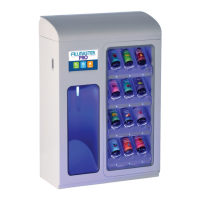

 To Next Page
