- 5-
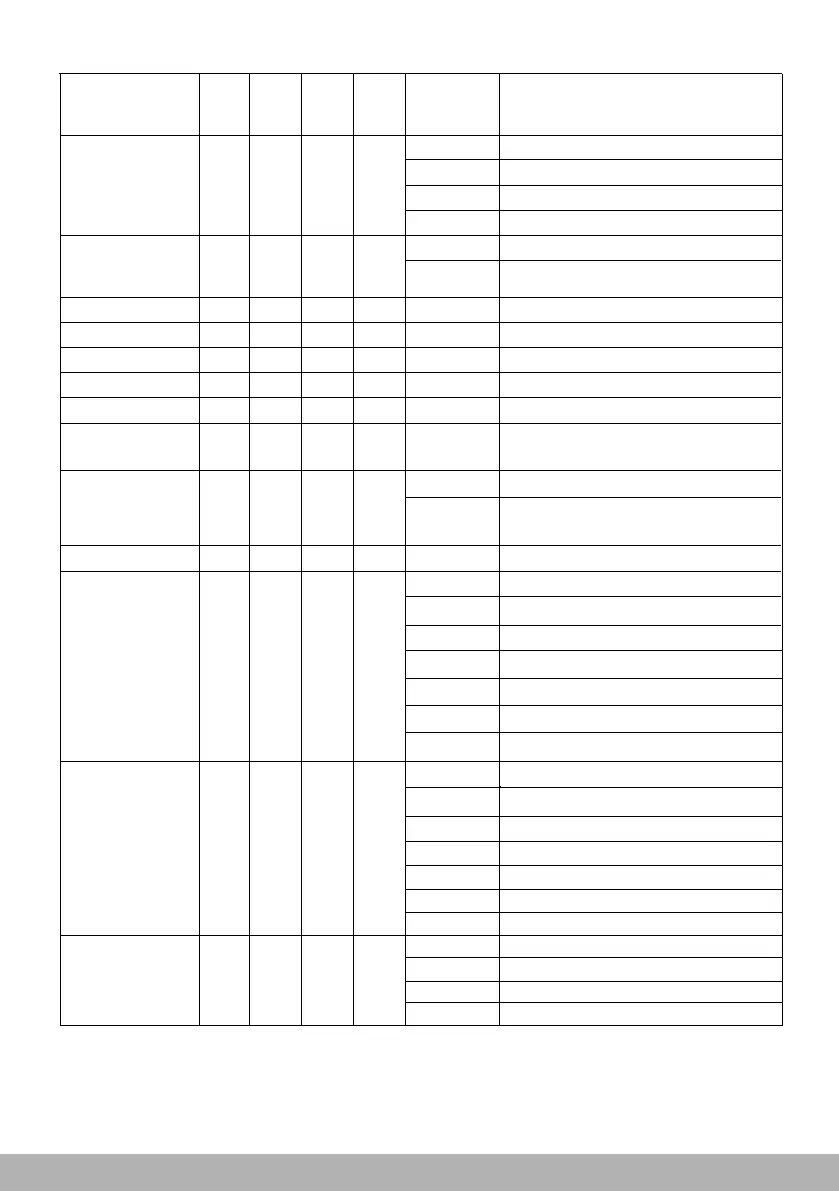
Shape R 25 0->255 shape red dimmer
Shape G
26 0->255
shape green dimmer
Shape B
27
0->255
shape blue dimmer
Shape W
28 0->255
shape white dimmer
Shape Dimmer
29
0->255
shape main dimmer
Background
Dimmer
30 0->255
Background
Dimmer
Shape
Transition
31
0->4
no delay for transition
5->255
delay transition duration
100ms ->4s
Shape Offset
32
0->255
Shape Strobe
33
0->3
CLOSED
4->103
104
208
252
-
-
-
>107
108->207
>212
>255
213->251
OPEN
OPEN
OPEN
Pulse Strobe, slow->fast, 1Hz~25Hz
Strobe, slow-> fast, 1 hz~25hz
Random Strobe, slow->fast
Adjustment of shape angle or intensity
Background
Strobe
34
0->3 CLOSED
Background
Select
4
-
>103
Pulse Strobe, slow->fast,1Hz-25Hz
104 ->107
OPEN
108 ->207
Strobe, slow->fast,1Hz-25Hz
208->212
OPEN
213->251
Random Strobe, slow->fast
252->255
OPEN
35
0->8
No Funtion
9->23
Background shape Select
24->254
No Select
255
Mirror image enable
Shape Speed
23
0->63 Static shape
64->158 Speed from fast to slow
159->160 Stop
161->255 Speed from slow to fast
Shape Fade
24
0->15
no fade-in/out function
16->255
fade-in/out function and
curve for option
Separate control on single
LED under stnd, RGB, RGBW mode
Shap mode control shap selection manual
Selection
22-
>78
22->
97
22
0->255
Shape



 To Next Page