Color Screen Multi-channel Weather Station User Manual
3. Replace the battery door, and fold out the desk stand and place the
console in the upright position.
Note: The batteries are intended for back-up power only. The backlight will
remain on for 5 seconds when on back up battery power only. Only when
you use power adapter it will the back-light be continuously on.
4. The console will instantly display indoor temperature, humidity,
barometer, moon phase, date and time. The remote search icon will
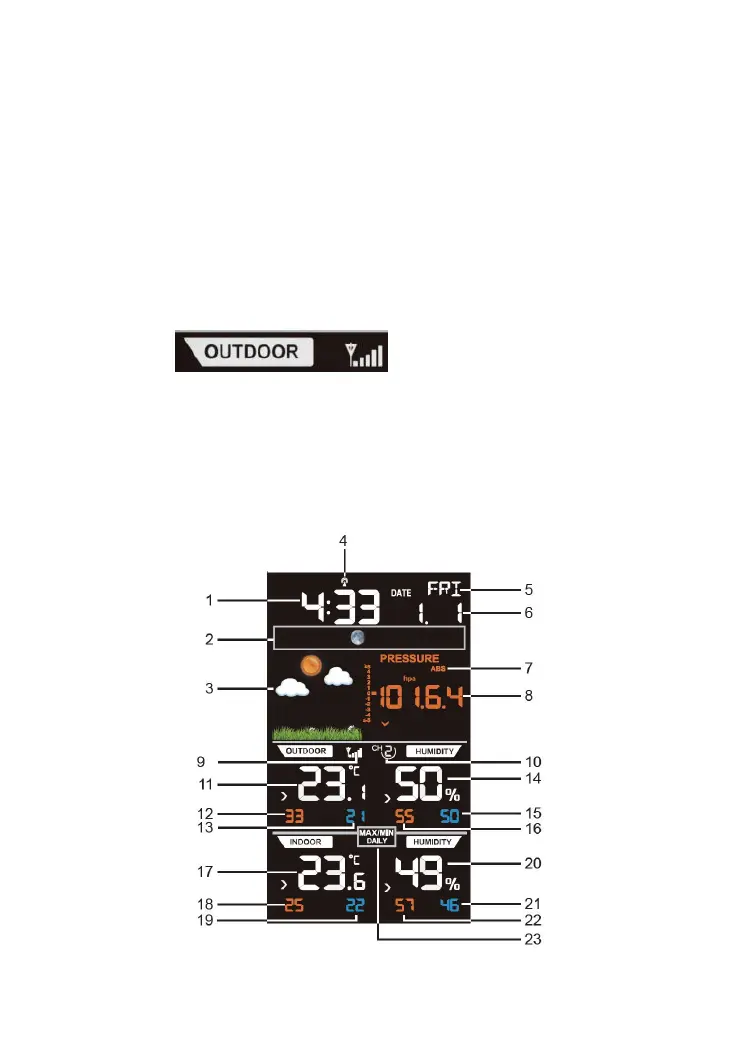
3.6.1 Display Console Layout
Note: The following illustration shows the full segments of the LCD for
description purposes only and will not appear like this during normal
Figure 8



 To Next Page