5
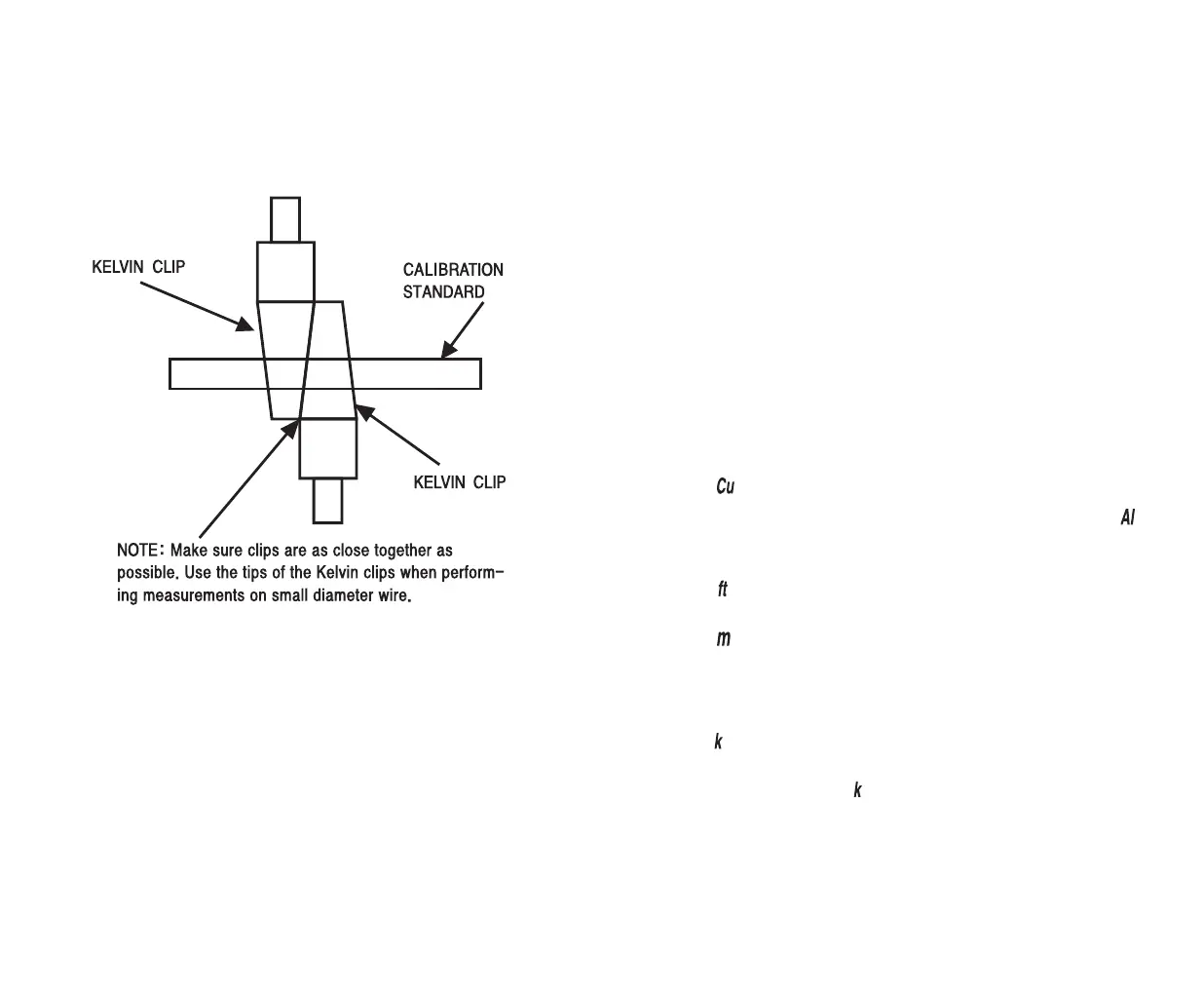
3. Connect the Kelvin clips to the calibration standard. Make sure
the clips are as close together as possible. (See picture below)
NOTE: Make sure the calibration standard is clean. The Kelvin
clips must be connected across the diameter of the standard. Use
the abrasive pad to clean the calibration standard.
4. Press and hold the “CAL” button until all segments in the display
illuminate. This completes the calibration procedure and will
ensure all measurements are as accurate as possible.
5. Disconnect the leads from the standard.
6
Measuring Length of Wire
1. Turn the CLM
33
on and perform the calibration procedure in
the “R” position.
2. Allow the CLM
33
to attain the same temperature as the wire
under test.
NOTE: Temperature affects accuracy of readings. Please see
accuracy specifications. For best results, allow the CLM33 to
attain the same ambient temperature as the wire under test.
WARNING: MAKE SURE WIRE UNDER TEST IS NOT
ENERGIZED. NEVER APPLY VOLTAGE TO INPUTS.
3. Strip the insulation back on each end of the wire being tested.
NOTE: Make sure both ends of the wire under test are clean and
the conductor is fully exposed. The insulation must be stripped
away so the Kelvin clips can be connected across the diameter of
the wire. Use the abrasive pad to clean the wire ends.
4. Using the selector on the CLM
33
, turn to the size of wire under test.
5. Press the “COPPER” button if copper wire is being tested.
The “ ” enunciator will illuminate in the top of the display.
6. Press the “ALUM” button if copper wire is being tested. The “ ”
enunciator will illuminate in the top of the display.
7. Press the “FT” button if you require readings to be in feet.
The “ ” enunciator will illuminate in the display.
8. Press the “M” button if you require readings to be in meters.
The “ ” enunciator will illuminate in the display.
9. Connect a Kelvin clip to one of the wire and the other Kelvin clip to
the other end of the wire.
10. Read the length of wire directly from the display. Please note
the “ ” enunciator illuminates if measurements are at or above 10000
meters / feet.
For example, when the “ ” enunciator is on and you are measuring
in feet, a reading of 15km would indicate a length of 15000m.
11. Disconnect the test leads from the meter when not in use.


 To Next Page
 Loading...