Step 1: Fios Router
Step 1A: Make the connections
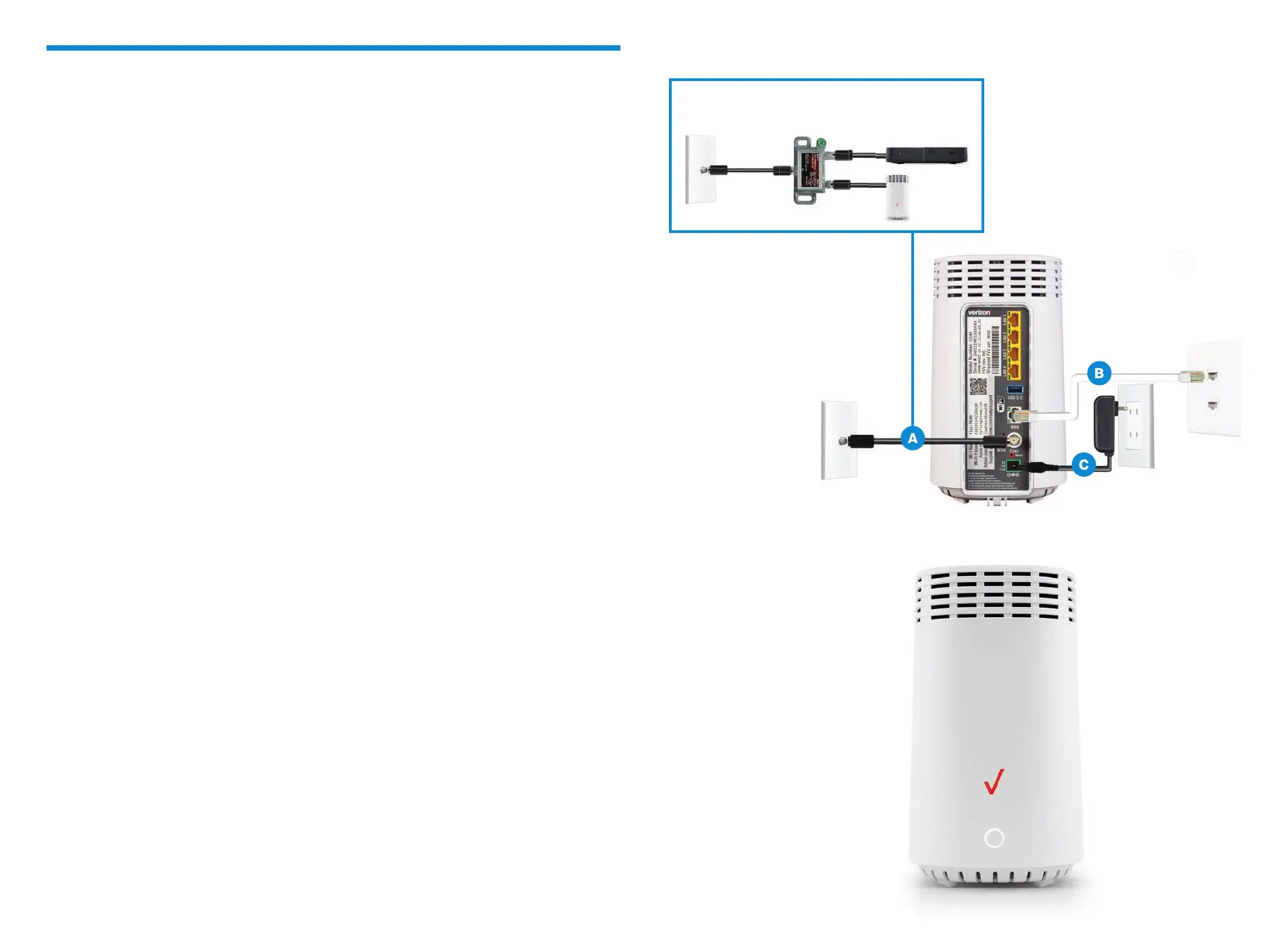
A. Connect the coax cable from the coax port on your router to a coax outlet.
(Required for Fios TV*)
B. Connect the Ethernet cable from your router’s WAN port to an Ethernet outlet.
(Required for speeds greater than 100 Mbps)
C. Connect the power cord to your router then to an electrical outlet.
D. Router will take up to 10 minutes to update completely. Move to the next step
when the front light is solid white.
Troubleshooting
If the light is not solid white, visit verizon.com/routersupport
Optional: use the provided splitter to connect a
Fios TV One and router to the same coax outlet.
*Separate subscription required; not available in all areas.



 To Next Page