Step 1B: Wired or Wi-Fi? Your choice.
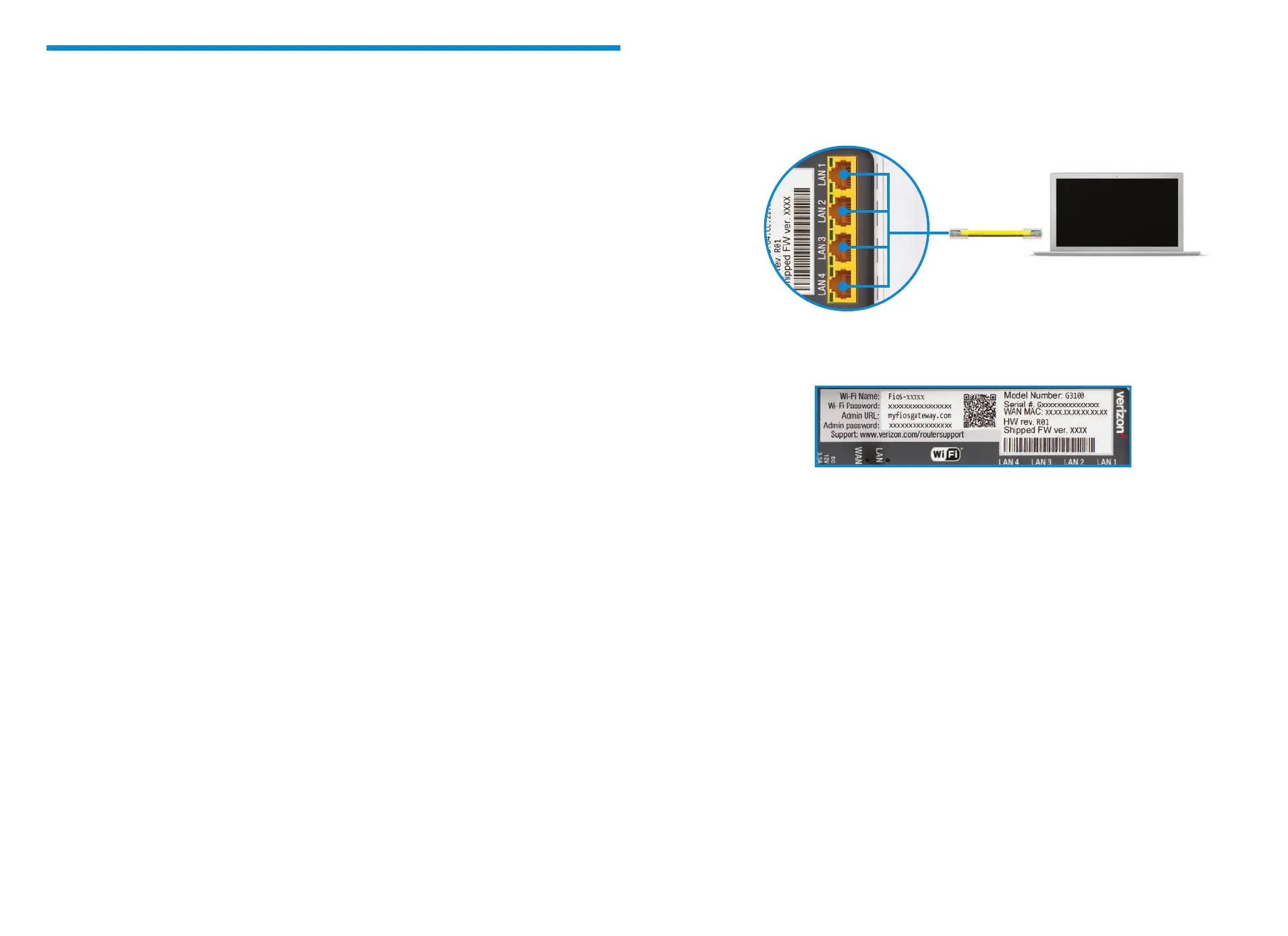
Wired
A. Connect the Ethernet cable to any yellow LAN port on your router.
B. Connect the other end to your computer.
Wi-Fi
A. Get the Wi-Fi name and password o the label on your router.
B. On your device, choose your Wi-Fi name when it appears.
C. Enter the Wi-Fi password exactly as it appears on your router label.
Wi-Fi Network
The Fios Router supports Self-Organizing Network (SON) and allows your devices
to move seamlessly between 2.4 GHz and 5 GHz Wi-Fi signals, connecting devices
to the closest access point, and optimizing your Wi-Fi connection.
Step 1C: Complete activation
Activate your service by opening a web browser on your computer and following
the prompts.
Note: If you ordered a Fios Extender, set it up now using the instructions in
the box.
Step 1: Fios Router (continued)
Router label
Wired connection



 To Next Page