11
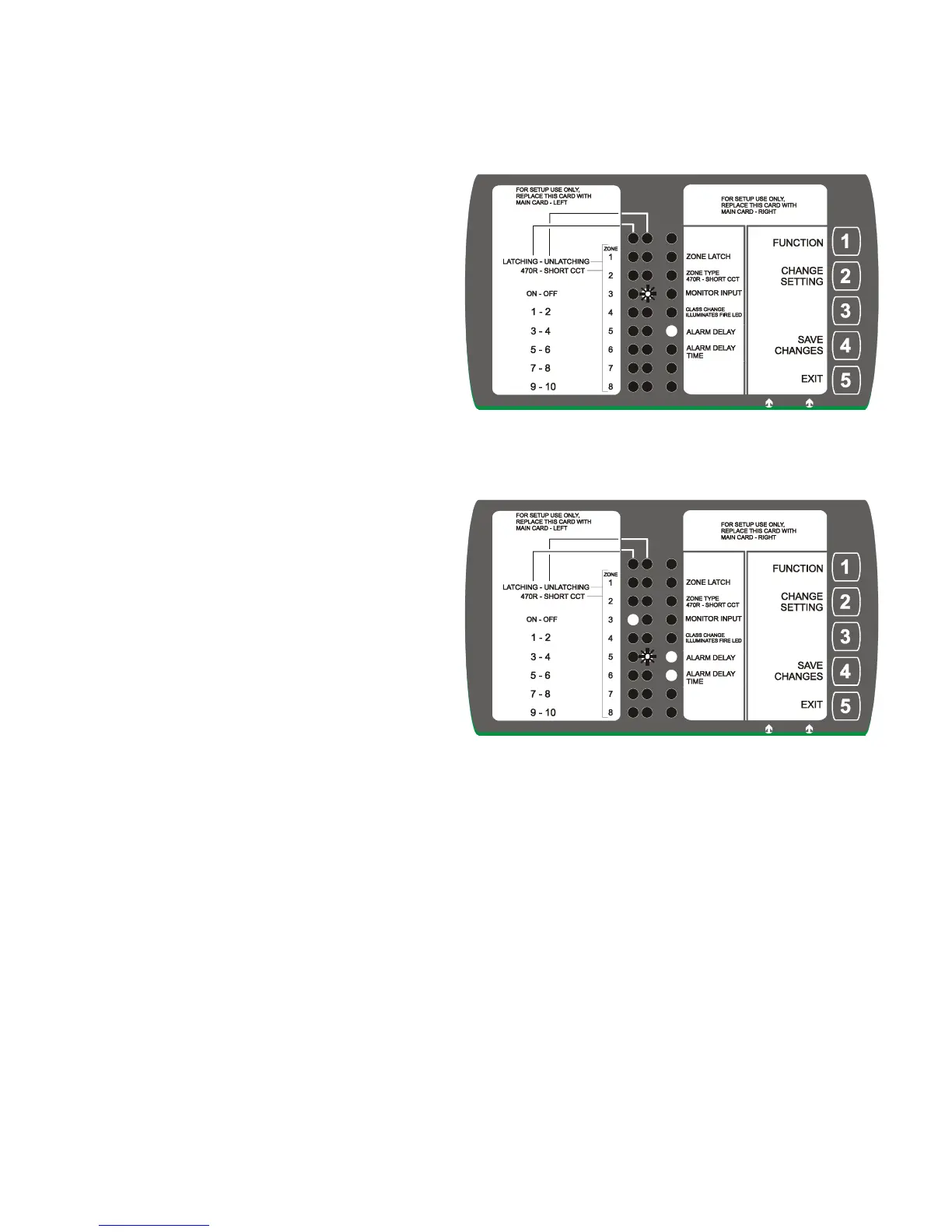
Setting Alarm Delay – This option is set to either On or Off. If set to on, it works in conjunction with
the setting ‘Alarm Delay Time’ and input terminal ‘enable delay’ – figure 3. When set up, if input terminal
‘Enable Delay’ is connected to ‘GND’ (via switch etc), a fire on any zone will cause a delay to the alarms
sounding, the length of the delay is set by
‘Alarm Delay Time.’ If ‘Enable Delay’ is not
connected to ‘GND’, sounders will sound
immediately in a fire condition.
This feature would for example be a ‘Day Switch’
PRESS Key 2 (Change Setting) – moves flashing
led to make option either ON or OFF.
PRESS Key 1 (Function) – moves setting (flashing
led) to Alarm Delay Time, only if Alarm Delay
is set to ON.
If set to OFF, moves setting (flashing led) to
ZONE LATCH.
Setting Alarm Delay Time – Sets the delay time to
sounders activating - from 1 to 10 minutes.
Display shows ‘Alarm Delay’ is set to ON – and
flashing led , the ‘Alarm Delay Time’. In the
example opposite – 4minutes.
PRESS Key 2 (Change Setting) – moves flashing
led through the time settings, 1 to 10.
PRESS Key 1 (Function) – moves setting (flashing
led) to back to Zone Latch.
Note, If at any point you go passed desired setting, press key No: 1 until you return to desired location.


 To Next Page