9
4)61%2)28&962-23*(-47;-8',*92'8-327
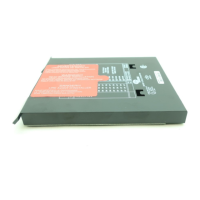
The EP Programmer modules have a set of six (6) dipswitches on the side of the programmer to
modify various functions associated with the operation of the programmer (e.g. purge timing, prove
3-P circuit open to start, etc.). THESE FUNCTIONS BECOME PERMANENT AFTER THE
CONTROL HAS BEEN POWERED FOR EIGHT (8) HOURS.
*
After this burn-in period,
changing position of the dipswitches will not change the operation of the programmer.
Note: The function of dipswitch 1 is not stored.
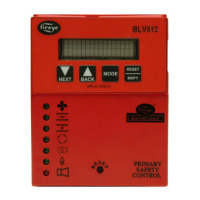
The user can bypass the burn-in period via the ED510 display module. Use the SCROLL and MODE
key to select the “Programmer Set-Up” Sub-Menu (Refer to bulletin ED-5101) and then the
SCROLL key to display the prompt:
PRESS RESET TO
ACCEPT SETTINGS
Press the Reset key at this prompt and the screen will display:
YOU AGREED TO
ACCEPT SETTINGS
After the above key sequence is completed, changing the position of the dipswitches will not change
the operation of the programmer.
463+6%11-2+8,))4463+6%11)613(90)
The EP163 Programmer Module provides a number of operational characteristics that are selected
via the ED510 Keypad/Display rather than by dipswitch selection. The following is a list of the pro-
grammable functions associated with the EP163 Programmer Module:
— Selectable purge (selectable from 6 seconds to 40 seconds in 2 second increments - default
setting is 40 seconds).
— Prove the operation of the 3-P Running Interlock Circuit.
— Prove the operation of the High Fire Purge Interlock (D-8).
— Prove the operation of the Low Fire Start Interlock (M-D).
— Selectable timings on terminals 5 and 6 during Pilot Trial For Ignition (PTFI).
— Selectable timings on terminals 5 and 6 during Main Trial For Ignition (MTFI).
— Selectable Post Purge Timing of 1 or 15 seconds.
13(-*=-2+8,)463+6%11)6
1. Insert the EP163 programmer module into the EB700 chassis and connect the ED510 Keypad/
Display.
2. Open the operating control (L1-13) circuit. The EP163 cannot be modified unless the operating
control is open.
3. The PROGRAM SETUP sub-menu will be used to display the programmable functions. Press
the SCRL key until the PROGRAM SETUP sub-menu is displayed.
4. Press the MODE key to enter the PROGRAM SETUP sub-menu. The SCRL key will advance
through the selections in the sub-menu. The first four items displayed in the sub-menu are PRO-
GRAMMER TYPE EP163, ENGR CODE, AMPLIFIER TYPE, and FFRT TIME 4 S. These
items are not programmable.
5. Press the SCRL key and the next item displayed (and first programmable item) is PURGE
TIME followed by the current setting (default setting = 40 seconds). The available purge tim-
ings are from 6 to 40 seconds, in 2 second increments.
6. Press and hold the RESET button for 1 second to enter the “Modify” mode (providing the con-
trol was not in a lockout condition). After a 2-3 second delay, the control will display SCRL TO
MODIFY on the top line of the display (replacing STANDBY).
*
Programmer module EP163 has a fifty (50) hour burn-in period.


 To Next Page
 Loading...