EasyManua.ls Logo

Fireye MicroM MEC120 - User Manual

Default Icon
58 pages
Print Icon
To Next Page IconTo Next Page
Loading...
1
FIREYE
MODULAR
MicroM
FLAME SAFEGUARD CONTROLS
WARNING: Selection of this control for a particular application should be made by a com-
petent professional, licensed by a state or other government agency. Inappropriate application
of this product could result in an unsafe condition hazardous to life and property.
DESCRIPTION
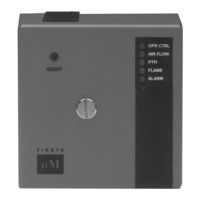
The Fireye MicroM Series Flame Safeguard Control is a compact, microprocessor based, modular
burner management system designed to provide automatic ignition and continuous flame monitoring
for commercial sizes of heating and process equipment firing any type of fuel.
The MicroM is designed to be backward compatible with existing TFM, UVM and M-Series II con-
trols. The MicroM MEC120 and MEC230 chassis with the appropriate MEP100, MEP200 and
MEP500 series programmers provide operation similar to its predecessors and is usually directly
interchangeable. The MEC320 and MEC480 chassis with the appropriate MEP300, MEP400 and
MEP600 series programmers provide additional enhancements such as early spark termination, pilot
proving, and interrupted pilot.
The advantages of the MicroM are zero dependence on discrete components previously used for tim-
ing functions. The MicroM, through the use of micro-controller technology, incorporates smart diag-
nostic LED's, smart reset function for multi-burner applications, optional alpha-numeric display
output (ED510), and serial communications via a Modbus or E500 Communication Interface. The
MicroM system also provides additional amplifier selections. Along with the standard UV and
Flame Rod amplifiers are UV self-check, Infrared, Cadmium Sulfide and a dry contact amplifier for
use with the Fireye Phoenix scanner. All amplifiers are available with flame failure response times of
0.8 seconds or 3 seconds nominal (4 second maximum) and each provide a set of test jacks with a
uniform range of 0-10 VDC for the measurement of flame signal intensity.
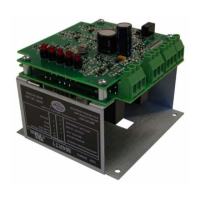
A complete MicroM system includes the appropriate flame detector, plug-in amplifier and program-
mer modules which connect into a standard chassis and wiring base. Interchangeable programmer
and amplifier modules allow for complete versatility in selection of control function, timing and
flame scanning means. Functions such as relight, recycle, non-recycle, two stage capability, non-
recycle air flow, proof of air flow open at start, purge timing, early spark termination, pilot proving
and pilot cutoff are determined by the appropriate programmer module. Type of flame scanner (UV,
Repetitive UV Self-Check, Flame Rod, IR or Cadmium Sulfide or dry contact) and the flame failure
response time (FFRT) are determined by the amplifier module. Optional plug-in daughter boards
provide additional features such as remote reset, alpha-numeric display and serial communications.
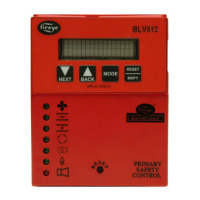
The MicroM programmers are micro-controller based modules that control the sequence of opera-
tion and also interface with plug-in amplifiers, meter boards, display drivers and external communi-
cation devices. The programmers are available in an assortment of configurations necessary to
resolve the application requirement. Current families of programmers for use with the MEC120 and
MC-5000
MAY 10, 2017
APPROVED

Table of Contents

Question and Answer IconNeed help?

Do you have a question about the Fireye MicroM MEC120 and is the answer not in the manual?

Summary

Installation & Setup

Installation of Controls, Scanners & Flame Detectors

General procedures for installing MicroM controls, scanners, and flame detectors.

Installing Programmer & Amplifier Modules

Steps for inserting programmer and amplifier modules into the MicroM chassis.

Operation & Configuration

Lockout Codes and LED Status

Lists lockout codes and their corresponding LED status indicators for troubleshooting.

Testing & Troubleshooting

Troubleshooting Guide: Diagnostic Messages

Lists possible causes and solutions for diagnostic messages in the MicroM system.

Installation Testing Procedures

Procedures for performing tests during installation to verify system functionality.

Use of Test Meter

Details how to use a multimeter for testing MicroM controls and flame signals.

Normal Pilot Flame Test

Procedure for testing pilot flame with Run/Check switch for programmers.

Minimum Pilot Test

Procedure to ensure flame detector does not sense a pilot flame too small to light main.

Flame Failure Test

Procedure to test flame failure detection and UV detector response to ignition spark.

MicroM Service Guide: Normal Lockout Troubleshooting

Flowchart for diagnosing and resolving normal lockout conditions in MicroM systems.

MicroM Troubleshooting Situations

Flowcharts for diagnosing issues in Situations #2, #3, and #4.

Wiring Diagrams

Wiring Arrangements

Diagrams illustrating standard wiring for various burner types and programmers.

Wiring: Pilot Ignited Burners (MEP100;MEP200)

Diagram for wiring pilot ignited burners with MEP100 and MEP200 series programmers.

Wiring: Pilot Ignited Burners & Flame Stabilization (MEP236)

Diagram for wiring pilot ignited burners with main flame stabilization using MEP236.

Wiring: Direct Spark Ignited Burners (MEP100;MEP200)

Diagram for direct spark ignited burners with two-stage operation using MEP100/MEP200.

Wiring: Pilot Ignited Burners & Interrupted Pilot (MEP500)

Diagram for pilot ignited burners with interrupted pilot using MEP500 series programmers.

Wiring: Direct Spark Ignited Burners & Interrupted Ignition (MEP500)

Diagram for direct spark ignited burners with interrupted ignition using MEP500.

Wiring: Flame Switches (MEP100)

Diagram for configuring MEP100 programmers for flame switch operation.

Maintenance & Support

Summary

Installation & Setup

Installation of Controls, Scanners & Flame Detectors

General procedures for installing MicroM controls, scanners, and flame detectors.

Installing Programmer & Amplifier Modules

Steps for inserting programmer and amplifier modules into the MicroM chassis.

Operation & Configuration

Lockout Codes and LED Status

Lists lockout codes and their corresponding LED status indicators for troubleshooting.

Testing & Troubleshooting

Troubleshooting Guide: Diagnostic Messages

Lists possible causes and solutions for diagnostic messages in the MicroM system.

Installation Testing Procedures

Procedures for performing tests during installation to verify system functionality.

Use of Test Meter

Details how to use a multimeter for testing MicroM controls and flame signals.

Normal Pilot Flame Test

Procedure for testing pilot flame with Run/Check switch for programmers.

Minimum Pilot Test

Procedure to ensure flame detector does not sense a pilot flame too small to light main.

Flame Failure Test

Procedure to test flame failure detection and UV detector response to ignition spark.

MicroM Service Guide: Normal Lockout Troubleshooting

Flowchart for diagnosing and resolving normal lockout conditions in MicroM systems.

MicroM Troubleshooting Situations

Flowcharts for diagnosing issues in Situations #2, #3, and #4.

Wiring Diagrams

Wiring Arrangements

Diagrams illustrating standard wiring for various burner types and programmers.

Wiring: Pilot Ignited Burners (MEP100;MEP200)

Diagram for wiring pilot ignited burners with MEP100 and MEP200 series programmers.

Wiring: Pilot Ignited Burners & Flame Stabilization (MEP236)

Diagram for wiring pilot ignited burners with main flame stabilization using MEP236.

Wiring: Direct Spark Ignited Burners (MEP100;MEP200)

Diagram for direct spark ignited burners with two-stage operation using MEP100/MEP200.

Wiring: Pilot Ignited Burners & Interrupted Pilot (MEP500)

Diagram for pilot ignited burners with interrupted pilot using MEP500 series programmers.

Wiring: Direct Spark Ignited Burners & Interrupted Ignition (MEP500)

Diagram for direct spark ignited burners with interrupted ignition using MEP500.

Wiring: Flame Switches (MEP100)

Diagram for configuring MEP100 programmers for flame switch operation.

Maintenance & Support

Fireye MicroM MEC120 Specifications

General IconGeneral
BrandFireye
ModelMicroM MEC120
CategoryControl Unit
LanguageEnglish

Related product manuals