Operating Menus
Model HS-4700-S User's Manual
24
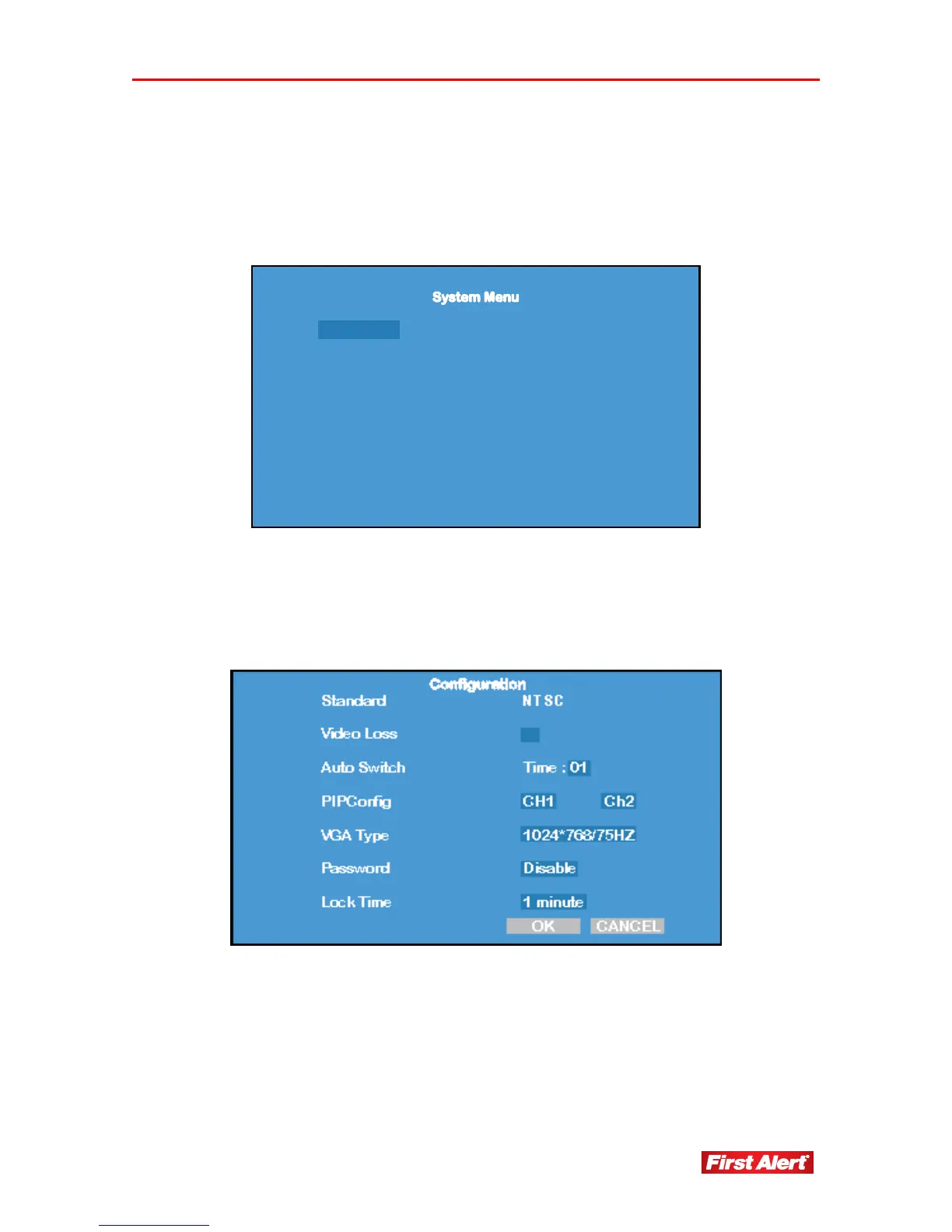
SYSTEM MENU
Access the System Menu from the Main Menu. Use this menu to set system options,
change the user password, change date and time information, and view software and
system information.
Configure Password Date & Time
Default Reset About
Exit
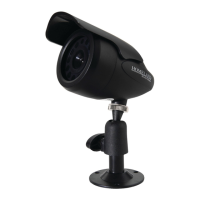
CONFIGURE
Access the Configure menu from the System Menu. Use this menu to set basic system
parameters.
Standard Present display standard for the system. Must be
NTSC.
Video Loss If there is video loss on any channel, the system
will trigger the alarm buzzer. “X” indicates alarm
is on.
Auto Switch Display the interval time settings for the 4-channel
preview auto circularity, 01-99 seconds.


 To Next Page