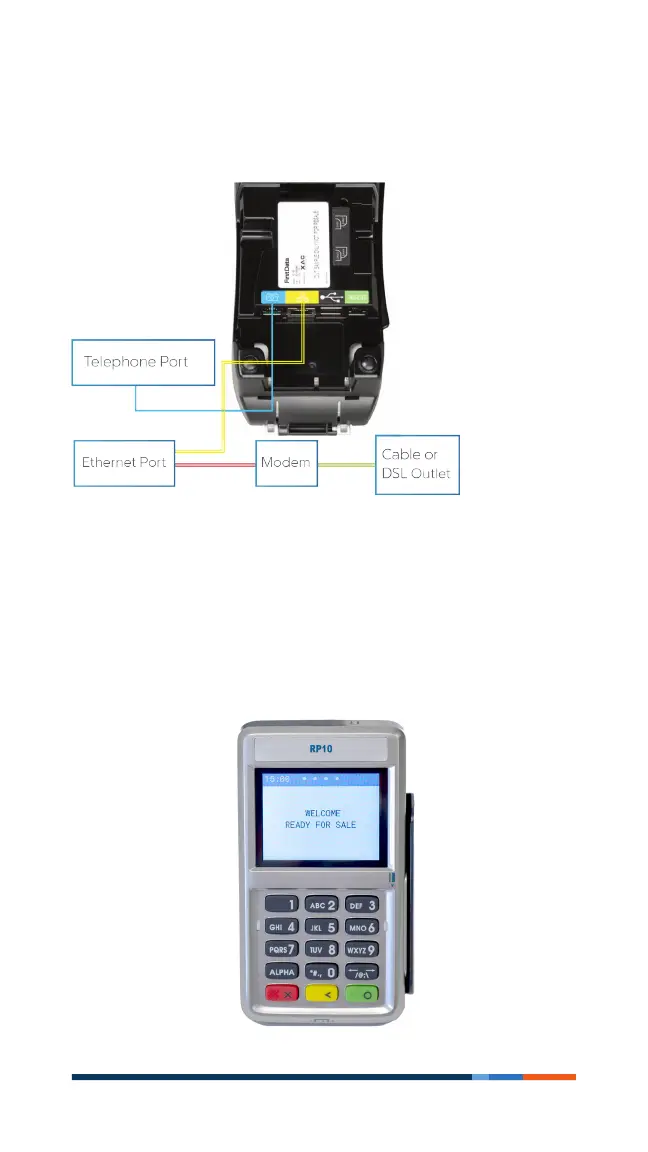
4 First Data FD150 terminal
Get connected
You may choose an IP connection, (DSL or cable), Wi-Fi or dial-up.
If you choose dial-up, you should use a dedicated phone line.
Add an (optional) Device
If you have another device to connect to the terminal, such as
the RP10 PIN Pad or MagTek MiniMICR Check Reader, you can
now connect them to either the USB or RS-232port. Please
see the device-specic installation instructions.



 To Next Page