35
Wi-Fi settings on the terminal
Network settings
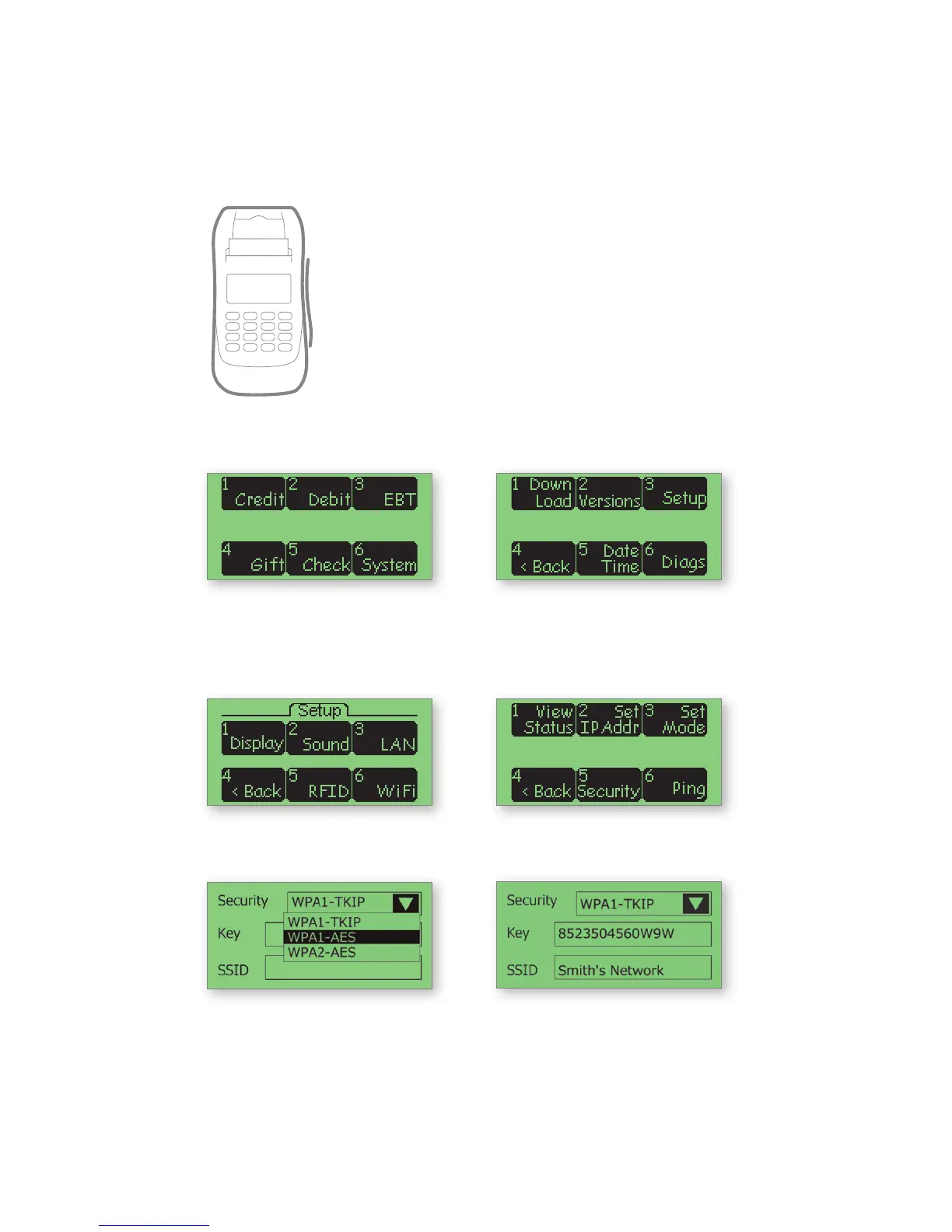
1. On the initial screen, touch
the option SYSTEM if it is
displayed; otherwise press
the “0” key.
2. Touch SETUP
3. Touch WIFI 4. Touch SECURITY or
WIFI SECURITY
5. Verify the security mode
matches the access point’s
setting (i.e., WPA1-TKIP,
WPA1-AES or WPA2-AES)
Note: To change, touch the drop-down
arrow and select a new option.
6. After setting the security
mode, verify that the key
and SSID match the access
point’s settings
(Note: both are case-sensitive). A USB
keyboard may be connected to the
terminal for entering this information.



 To Next Page