Need help?
Do you have a question about the First Data VeriFone VX 680 and is the answer not in the manual?
Lists necessary equipment (router, broadband) and network details (SSID, passphrase).
Steps 7-12: Enter SSID, select security, enter passphrase, and save settings.
Outline steps: Discovery, Pairing, and Activating the connection between terminal and base.
Instructions for connecting power supply and Ethernet cable to the Bluetooth base unit.
Steps 6-7: Press base button, observe flashing light, press OK on terminal to confirm connection.
 General
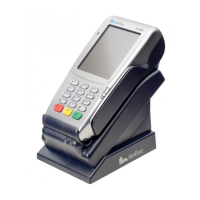
| Model | VX 680 |
|---|---|
| Manufacturer | VeriFone |
| SAM Slots | 2 |
| Device Type | Payment Terminal |
| Processor | ARM11 |
| Display | 3.5-inch Color LCD |
| Card Reader | EMV chip card reader |
| Connectivity | Wi-Fi, Ethernet |
| Peripheral Ports | USB |
| Printer | thermal printer |
| Battery | Rechargeable lithium-ion battery |
| Security | PCI PTS 3.x |
| Operating System | Verix |
| Power Source | AC adapter, battery |
| Payment Methods | Credit, Debit, Contactless |

 To Next Page