14
1
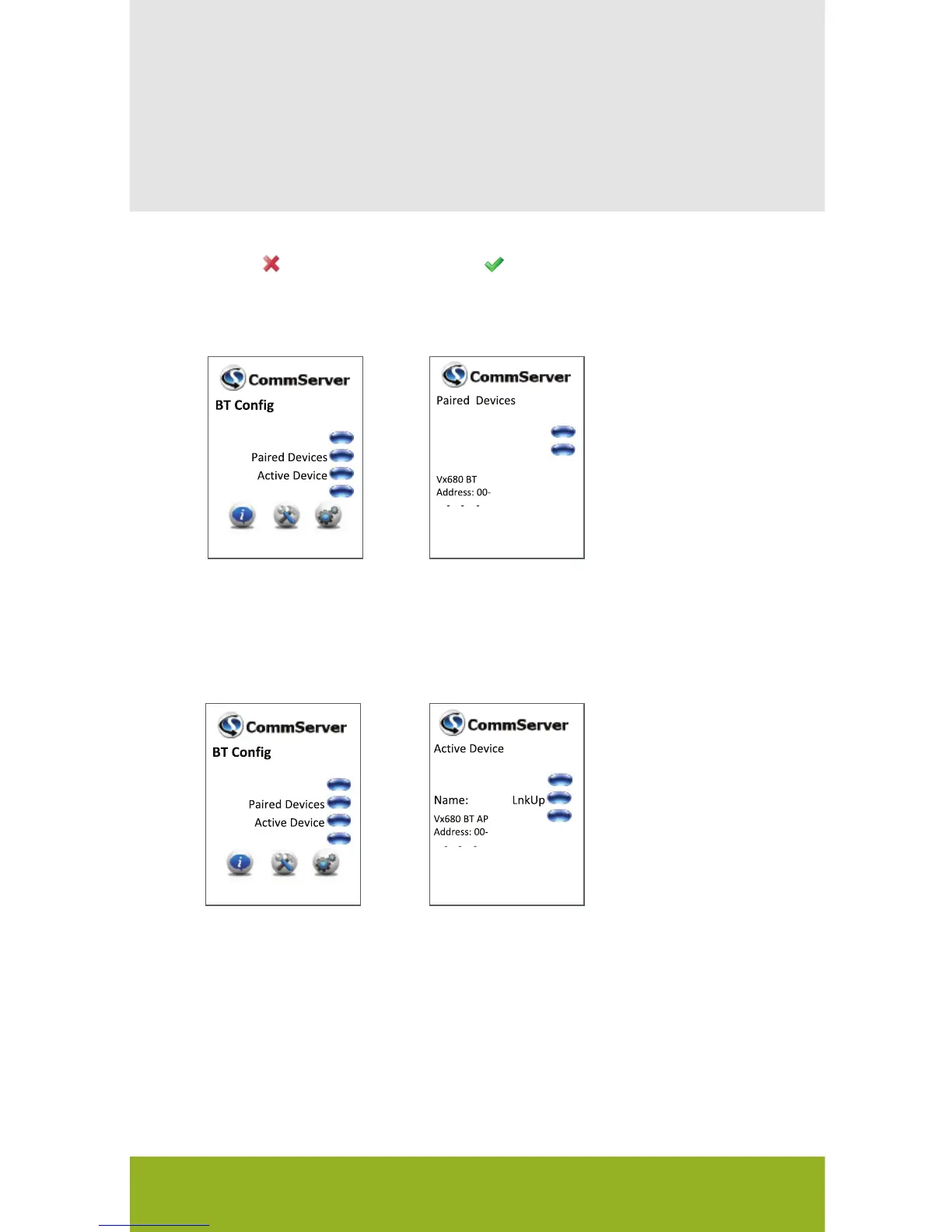
Select Paired
Device
2
Select Active Device
Additional Bluetooth Information
Search
Config
Act
Del
Name:
AP
08
4F 01 1D DD
Ethernet/Dial
Search
Config
Del
LnkDn
08
4F 01 1D DD
Ethernet/Dial
While the VX 680 is designed to re-establish the connection with
the Bluetooth base automatically, it may be necessary to manually
re-establish a connection from time to time.
A red or the lack of a green being displayed indicates
that the link is down.
Press LnkUp to
activate the link.
Press ACT to
re-establish the pair
bond.
VX 680 Short Range Wireless Quick Setup Guide


 To Next Page