4
Typical set-up time: 20–30 minutes
What you need to connect through WiFi
•
WiFi Router, Modem or Access Point supporting the
802.11 b/g protocol
•
Broadband/DSL Internet Service
•
The Network Name (SSID) of your WiFi network
•
The Passphrase for your WiFi network
Security
WiFi Signal Strength
The VX 680 supports WPA-PSK (aka WPA-Personal) and
WPA2-PSK (aka WPA-Personal2) authentication formats
and both AES and TKIP encryption. WPA2-PSK and AES
encryption are recommended however these depend on
your WiFi router and network capabilities.
There are certain environmental factors such as concrete walls and
other devices that use the same frequency that can have an impact
on the signal quality of the WiFi network. If possible, place your
wireless access point in the center of the area you wish to cover. Also,
consider mounting WiFi access points high on a wall or ceiling, avoid-
ing any obstructions that can impede WiFi signals. For best WiFi
performance, follow the manufacturer’s recommendations rega
rding
location and positioning.
Where to place the terminal
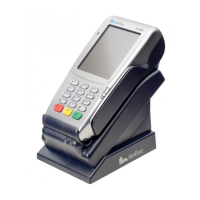
Place the terminal on a desk or tabletop. Avoid areas with direct
sunlight, objects that radiate heat, excessive dust and other electri-
cal devices that can cause excessive voltage.
WiFi Setup
VX 680 Short Range Wireless Quick Setup Guide


 To Next Page