10
Connecting the Bluetooth Base
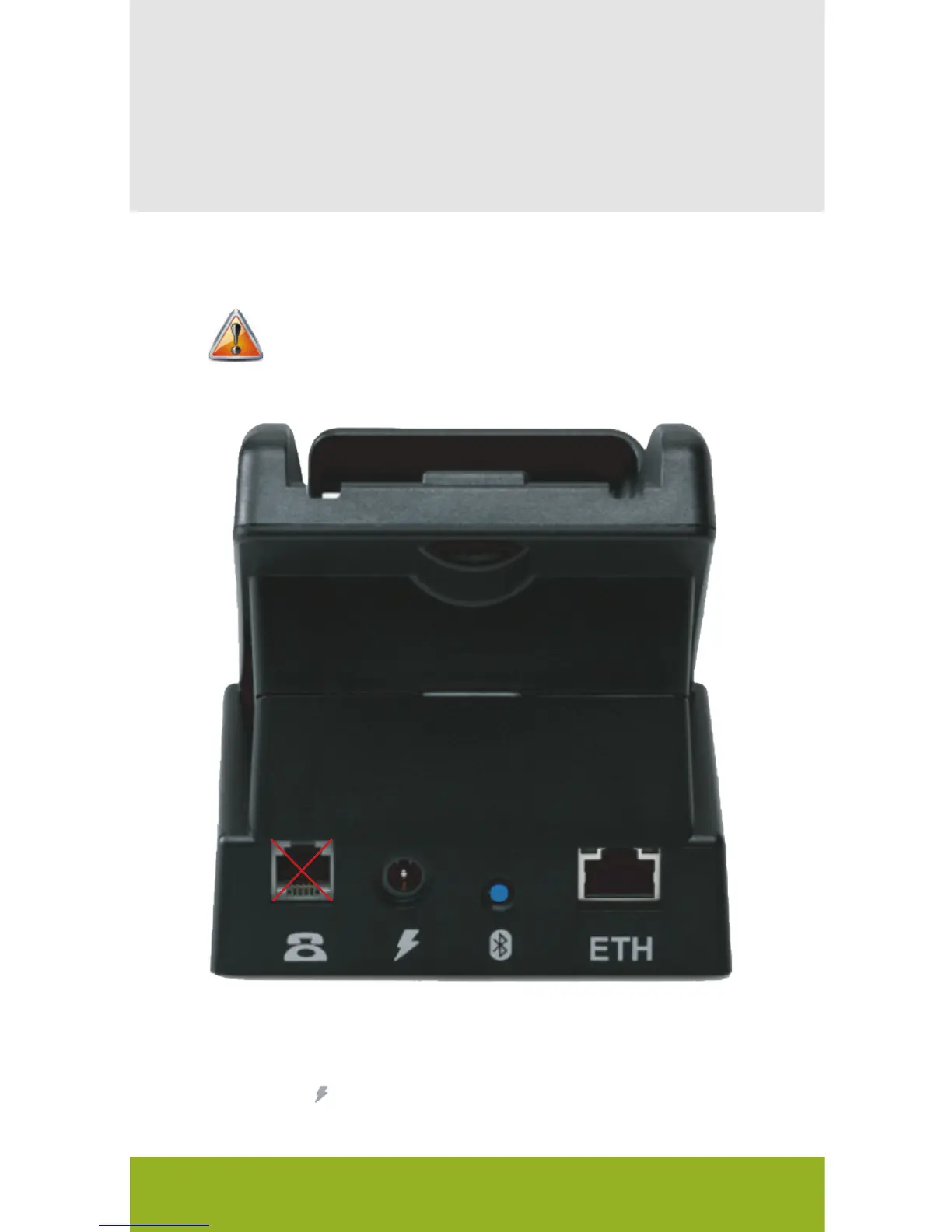
To connect the power and the Ethernet cable:
1 Plug the power supply which came
with your VX 680 terminal into the
power input on the back of the
VX 680 Bluetooth base.
2 Plug your Ethernet cable from
your router into the ETH port
on the back of the VX 680
Bluetooth base.
The dial port on the back of VX 680 Bluetooth Base is not
operational.
The Bluetooth base is required for the device to use
Bluetooth connectivity.
VX 680 Short Range Wireless Quick Setup Guide


 To Next Page