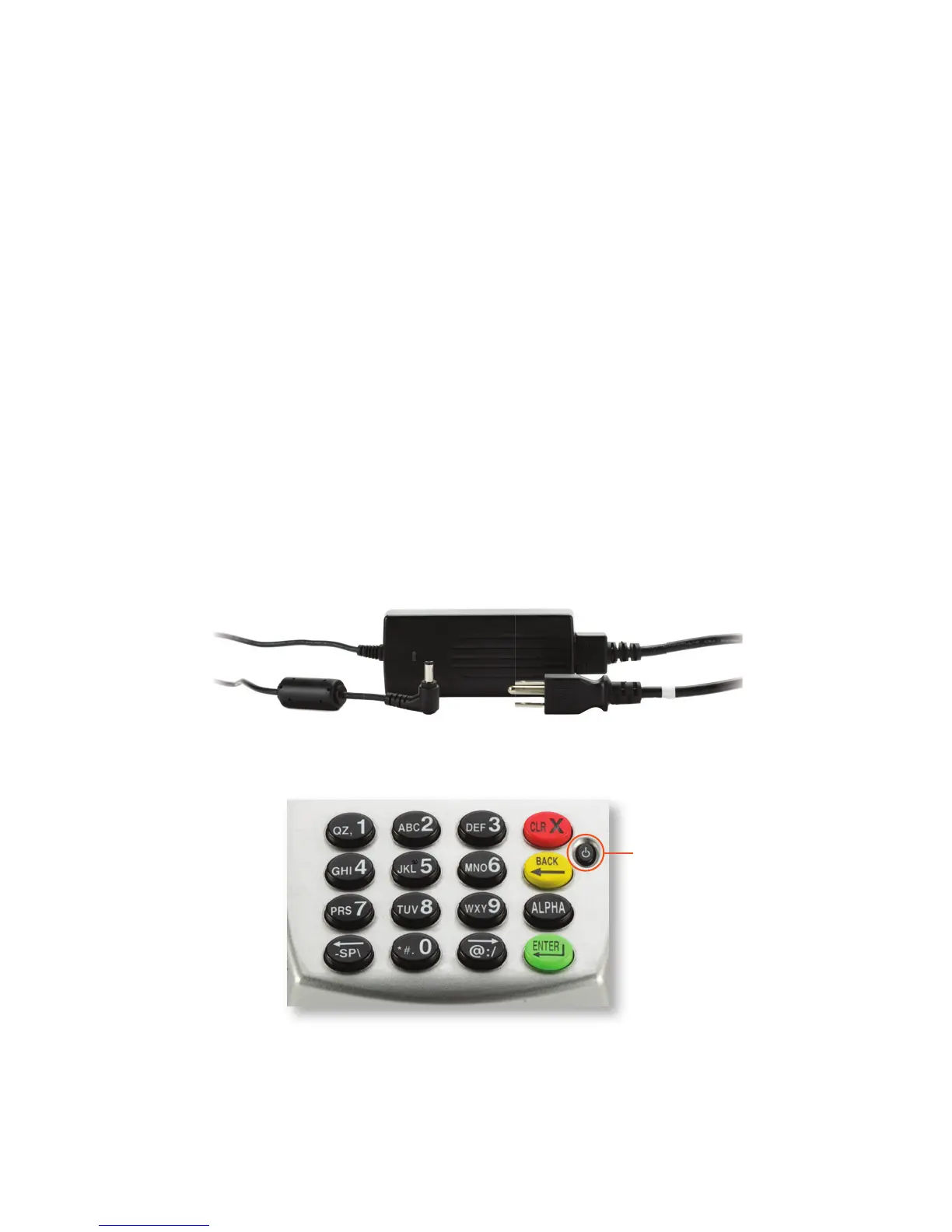
Warning:Ashielded-typepowercordisrequiredinorderto
meetFCCemissionlimitsandalsotopreventinterferencewith
nearbyradioandtelevisionreception.Itisessentialthatonlythe
suppliedpowercordbeused.
Plug in the power
to charge the battery
Installthebatteryintotheterminal,thenconnectthepowercordto
thepowertochargethebattery.Itcantakeupto4hourstofully
chargethebattery.Oncethebatteryisfullycharged,theFD400
Ti
canrunonbatterypowerforseveralhoursbeforerequiringanew
charge.Findthepowerbuttononthefrontoftheterminal.
Caution:Thebatterypackcovershouldbekeptclosedduring
normaloperation.
Caution:Riskofexplosionifthebatteryisreplacedbyanincorrect
type.Pleasedisposeofusedbatteryaccordingtotheinstructions.
Note:Makesurethebatteryisinstalledintheterminalbefore
connectingtothepowersupplytocharge.
PowerButton
5



 To Next Page