05
Don’t carry the transceiver by the antenna or microphone directly.
Use a soft, clean, dry cloth to clean the transceiver.
Please cover the speaker/microphone jacks with the supplied cover when the transceiver is not in used.
The keypad, knobs and case will become dirty after long use; you can use the soft detergent and cloth to
clean it.
CAUTION:
It is abnormal in case of the charger glisteningly before sliding the battery pack into the charger.
Don’t replace the battery pack until the indicator light is stable.
Make sure contact well, LED indicates red when it is charging, if LED always blinking the battery pack is damaged or
over the environment temperature.
Maintenance
06
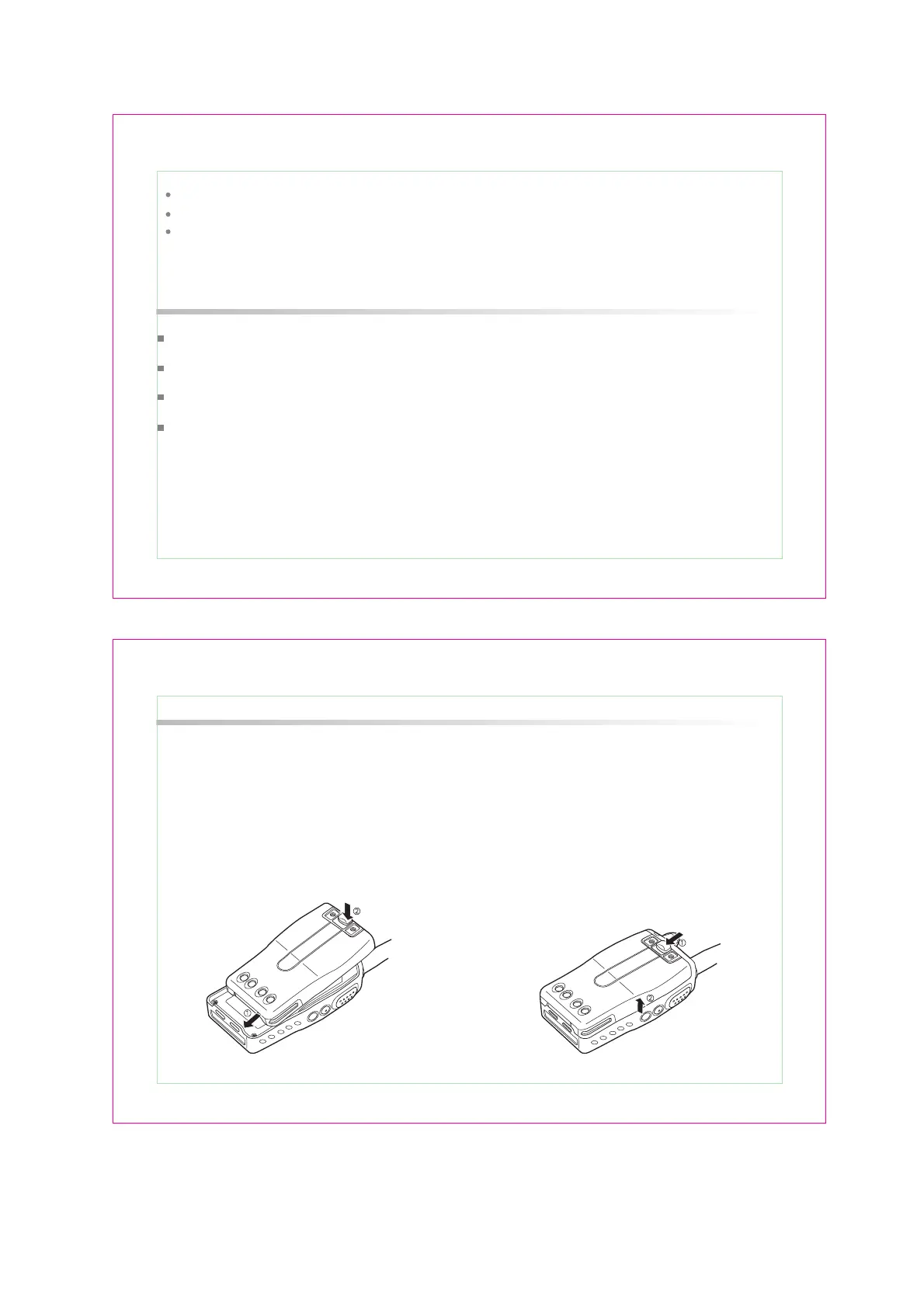
To remove the battery pack, turn off power and
pull back on the release latch and slide the pack
away from the transceiver.
INSTALLING / REMOVING
THE BATTERY PACK
Match the three grooves of the battery pack with
the corresponding guides on the back of the
transceiver then slide it. After that press the upper
of the battery pack until a click sounds.
Installing Accessories And Optional


 To Next Page