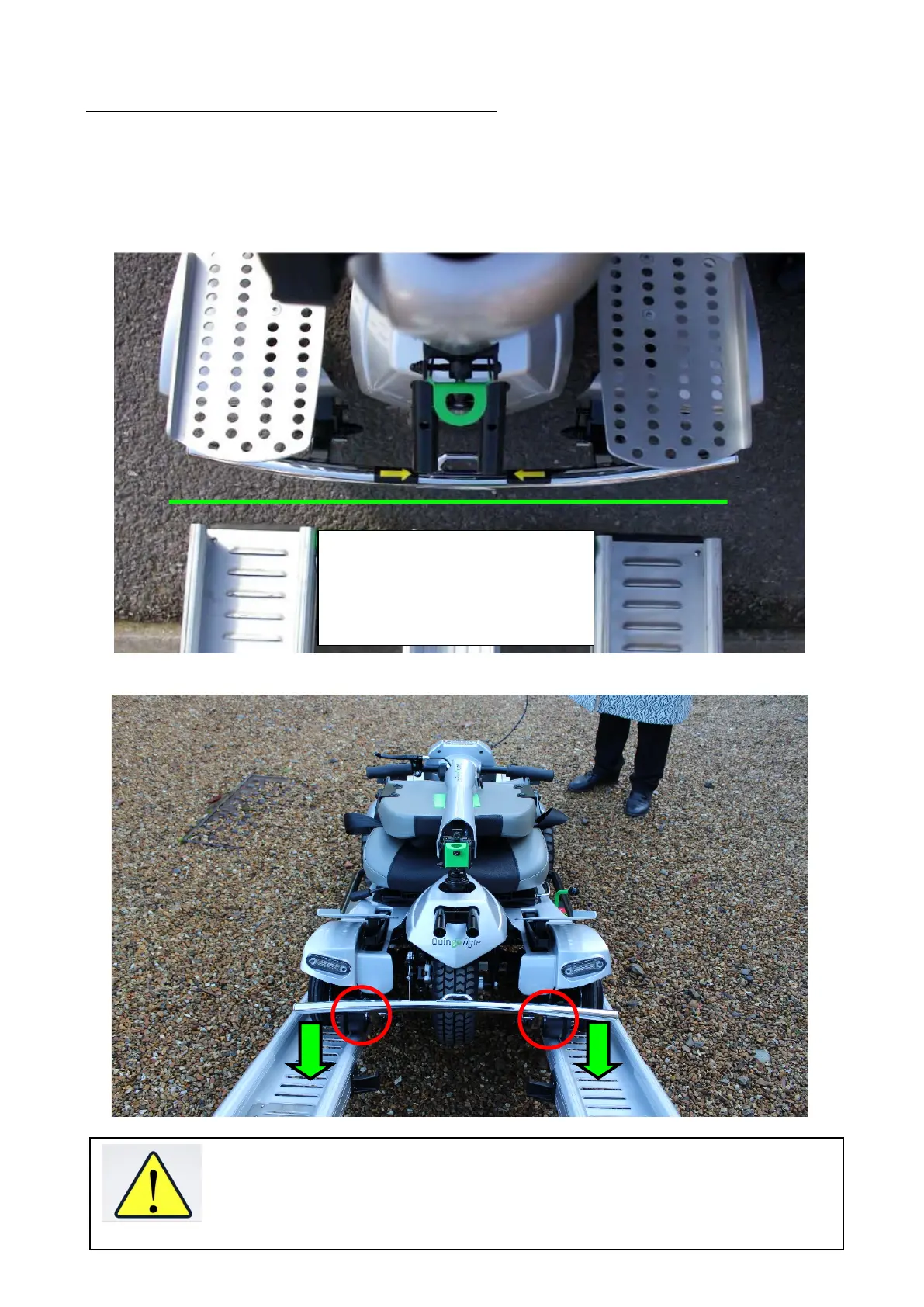
Step 3- Position and prepare the Flyte for loading.
a) Position the Quingo to the center rail using the front bumper alignment arrows. Stop
the Quingo before making contact with the rails. Make sure the Flyte lines up straight
and square with each rail so that the BLACK guide wheels (circled below in red) are
aligned to the rails before folding the scooter to be ready for loading into the vehicle.
The two Yellow Arrow stickers can be seen from your seated position.
Please note these are only to be used as a guide. Caution must be taken
when approaching the Docking Station. DO NOT DRIVE UP THE RAILS.


 To Next Page