TXT
Discovery Set
ROBOTICS
20
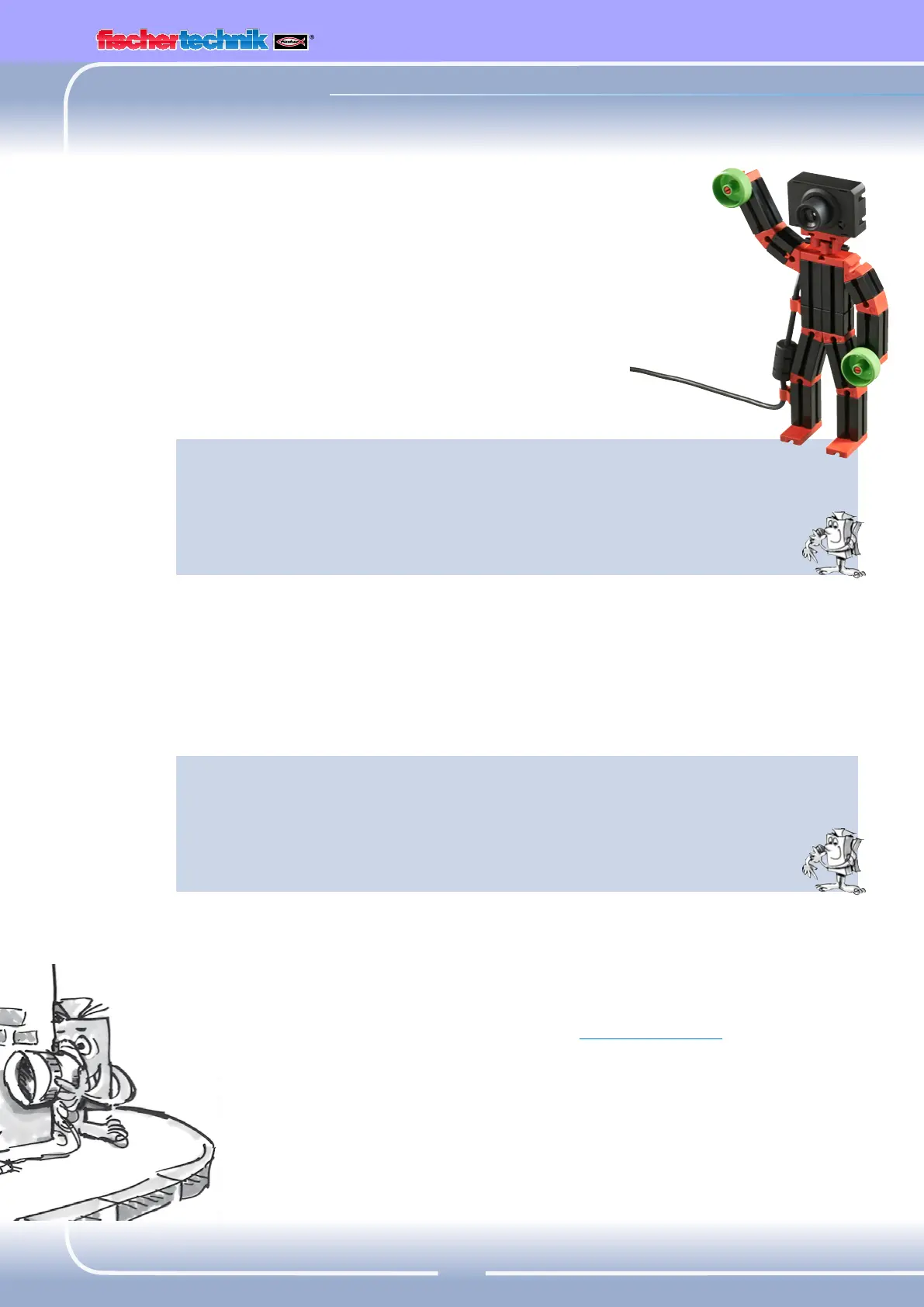
"Camera Man"
Now we want to take a look at the interesting subject
of cameras and image processing for the first time in this
activity booklet. For this purpose build the "camera man"
model as described in the assembly instructions and connect
the camera directly to your PC with a USB cable. The camera
will be recognized and the associated camera driver installed
automatically.
Now start the ROBO Pro software.
Task 1:
Place the camera man in front of your PC and let ROBO Pro show
you what the camera "sees".
Programming Tips:
To do this it is not even necessary to write a ROBO Pro program. Simply
open a new program in ROBO Pro, go to the "camera" tab, set the
camera connection to "PC" there and click "Switch on camera".
You can focus the image by turning the lens on the camera.
Task 2: (Level 3)
Now you can program the camera man to react to motion. As soon
as someone walks through the image, a red light connected to
output M1 should flash three times on the TXT Controller.
Programming Tips:
Connect the TXT Controller to your PC using a second USB interface.
Connect an LED with red cover to output M1 on the TXT Controller.
Switch to level 3 in ROBO Pro. Refer to the ROBOProHelp in Chap. 5 to
see the additional functions available there.


 To Next Page