TXT
Discovery Set
ROBOTICS
31
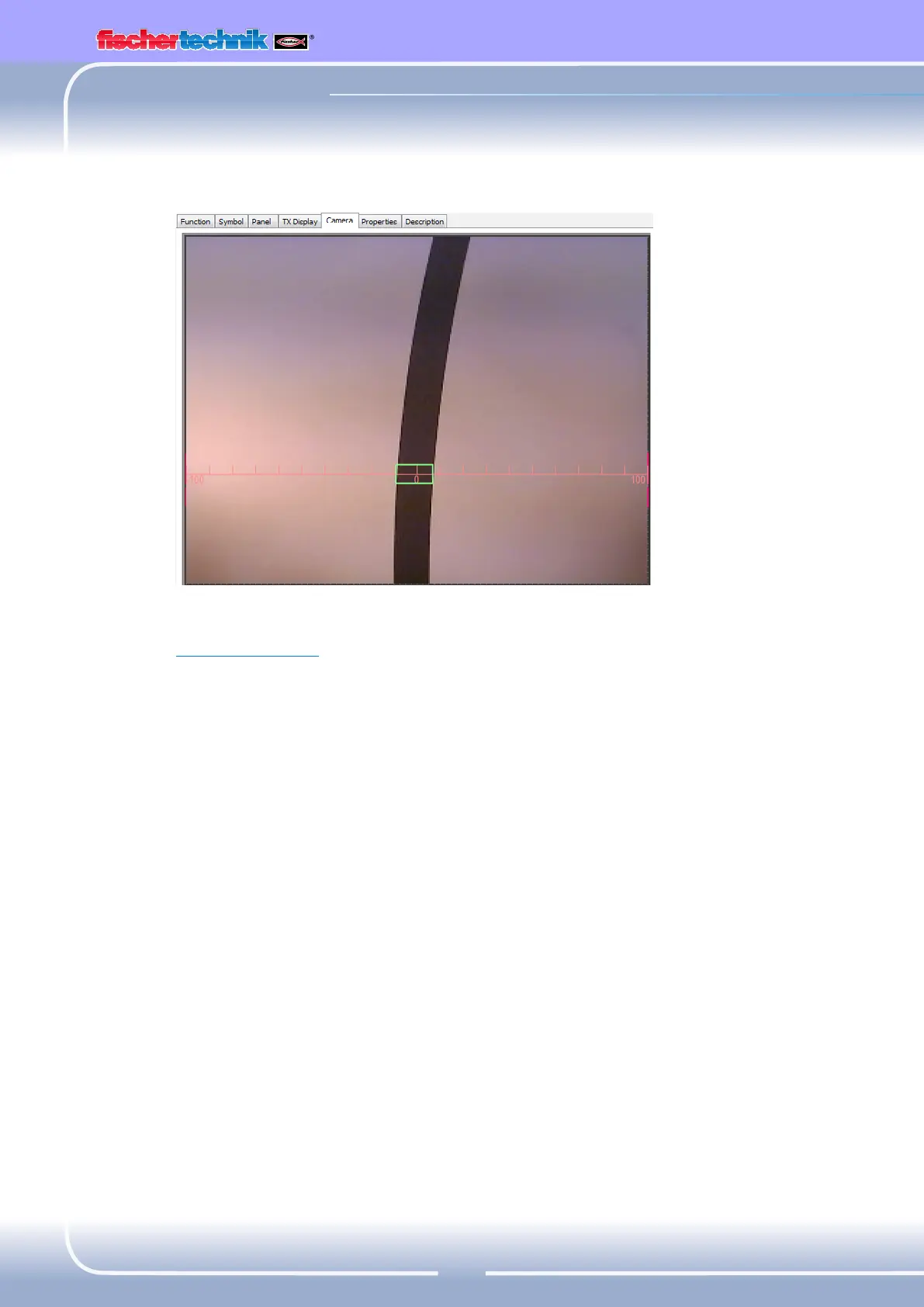
Further information on the camera "Line" sensor field is given in
ROBOProHelp Chap. 11.
Now you can check the position of the trail in your program.
▯ If it is located between –10 and +10 the robot should move straight
ahead (M1 and M2 = left: v = 5)
▯ Between –11 and –40 it should correct slightly to the left
(M1left: v = 5, M2 left: v = 2)
▯ Between +11 and +40 it should correct slightly to the right
(M1left: v = 2, M2 left: v = 5)
▯ At values < –40 it should correct strongly to the left
(M1left: v = 5, M2 right, v = 3)
▯ At values > +40 it should correct strongly to the right
(M1right: v = 3, M2 left, v = 5)
▯ If it looses the trail, it should stop.
You can find the finished program here:
Your robot can now react. However it would be even better if your robot
would turn around at the end of the trail instead of just stopping.
Trail_searcher_1.rpp


 To Next Page