To customize a cycle
Customizing wash cydes
i!li',!f !,ii!iS!ii!WJi!il
i:iil
You can program your AquaSmart ''_washer to remember the wash options you prefer for each
wash cycle. For instance, you may want to set the REGULAR cycle to complete a WARM/COLD
wash every cycle or set the HEAVY cycle to include a SOAK.
1 Press POWER.
2 Turn the dial to select the wash cycle you wish to customize.
s Touch and hold the button of the preferred option you want to customize, eg WASH TEMP for
3 seconds. You will hear 2 quick beeps and the wash cycle icon will flash. The screen will display
"SEt'{
4 Select your preferred setting for this option, and any other options you wish to customize for
this cycle.
S Touch the START/PAUSE button to store ),'our customized cycle, A long beep will sound to
confirm that ),'our changes have been saved,
To modify your customized wash cycle simply repeat these steps. To return all wash cycles to
their factory default settings, please refer to page 41.
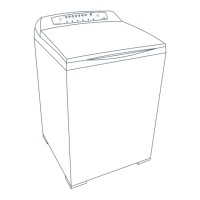
Fig.20 Customizing a wash cyc/e, eg customizing the wash temperature for the REGULAR cycle


 To Next Page
 Loading...