16
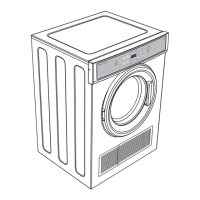
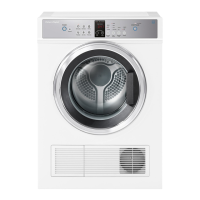
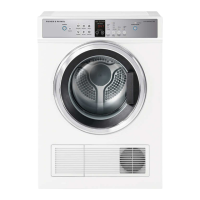
CONTROL PANEL
1 POWER Press to turn the dryer ON/OFF.
2 Keylock Touch to disable all buttons on the display panel, except
POWER
button. This prevents accidental button presses.
3 SmartTouch™
control dial
Rotate to select your desired drying cycle.
z
The icon illuminates to indicate the selected drying cycle.
4 Digital display
screen
Shows the following:
z
TIME TO GO – the remaining time in the cycle that is
currently running.
z
Delayed start time of dry cycle.
z
Notifications if an error is detected or a warning is necessary.
5 Progress lights The progress lights indicate what part of the cycle the dryer has
reached (
DRY, COOL or END). All three lights are on at the start of
the cycle. The light for the current part of the cycle flashes, and
each one goes out as the cycle progresses.
6 Delay Start
Less/More
Touch
MORE to increase andLESS to decrease the delay
start time.
7 Dryness Level Allows you to select the level of dryness for your load.
8 Dry Temp Allows you to select the drying temperature for your cycle.
9 Wrinkle Free Allows you to select a
WRINKLE FREE option for your cycle.
!0 Signal This button has two functions:
z
Alert you that the dryer has finished.
z
Alert you to remove items once your load reaches the
damp dry stage.
!1 Water Tank,
Condenser,
Lint Filter
The lights will flash when the dryer is switched on as a
remindertoempty the water tank, or clean the condenser and
lintfilter. The warning light will also flash on and off during the
cycle if the filtersbecome blocked.
!2 START/PAUSE Touch to start or pause the selected drying cycle.
!0
2
!2
3 6 7 8 9
!11 5
4



 To Next Page
 Loading...