EasyManua.ls Logo

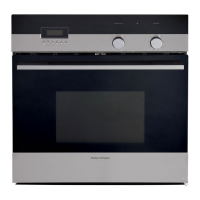
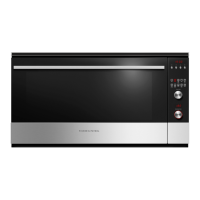
Fisher & Paykel OB90S9LEX1 - User Manual

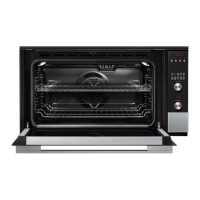
Fisher & Paykel OB90S9LEX1
36 pages
Print Icon
To Next Page IconTo Next Page
Loading...
USER GUIDE
NZ AU
BUILT-IN OVEN
OB90S9LEX1 model

Questions and Answers

  • J
    James OrtegaAug 14, 2025
    Why does my Fisher & Paykel OB90S9LEX1 Oven beep when I try to turn the temperature dial OFF?
    • M
      mhillAug 14, 2025
      The beeping you hear when trying to turn the temperature dial OFF on your Fisher & Paykel oven is normal. For food safety reasons, the oven functions cannot be ‘turned off’. Selecting Off with the function dial will turn the oven off.
  • T
    Todd CastilloAug 18, 2025
    What to do if my Fisher & Paykel Oven does not work?
    • R
      Robin NelsonAug 18, 2025
      If your Fisher & Paykel oven isn't working, check that the main power supply (wall switch) is turned on. Also, ensure that the fuse hasn't tripped and that there is no power outage in your area.
  • J
    jkelleyAug 21, 2025
    What to do if the temperature indicator shows — and the dials and buttons are unresponsive on my Fisher & Paykel OB90S9LEX1?
    • D
      David BartonAug 21, 2025
      If the temperature indicator on your Fisher & Paykel oven shows '—' and the dials and buttons aren't responding, the control panel is likely locked. To unlock it, press and hold the select or cancel button.
  • N
    Nicholas ThomasAug 25, 2025
    What to do if a glass pane in the Fisher & Paykel Oven door has cracked, chipped, or shattered?
    • S
      scottsmithAug 25, 2025
      If a glass pane in your Fisher & Paykel oven door has cracked, chipped, or shattered, you must NOT use the oven.
  • J
    Justin WilkersonAug 27, 2025
    Why don't the lights come on when I open the door of my Fisher & Paykel OB90S9LEX1?
    • A
      Amanda GonzalesAug 27, 2025
      If the lights don't come on when you open the door of your Fisher & Paykel oven, it's likely that the oven light bulbs have blown. You should replace them.
  • N
    Nathan OliverAug 31, 2025
    What to do if the rotisserie skewer will not rotate in my Fisher & Paykel OB90S9LEX1?
    • J
      Jordan HawkinsAug 31, 2025
      If the rotisserie skewer in your Fisher & Paykel oven won't rotate, make sure the skewer is pushed fully into the rotisserie drive hole.
  • G
    Gabriel MilesSep 3, 2025
    Why does the temperature dial halo never turn white when I use Grill in my Fisher & Paykel Oven?
    • E
      Erin SinghSep 3, 2025
      The halo stays red to indicate that the grill element provides instant radiant heat in your Fisher & Paykel oven. This is normal.
  • J
    jcannonSep 6, 2025
    What to do if the meat is too heavy for the rotisserie skewer in my Fisher & Paykel Oven?
    • Y
      Yolanda DeleonSep 6, 2025
      To get a finish similar to a rotisserie for pieces of meat or poultry heavier than 6 kg in your Fisher & Paykel oven, use the grill tray and rack and the Roast function.
  • I
    Isaiah JonesSep 9, 2025
    Why does the rotisserie skewer stop rotating when I open the door of my Fisher & Paykel OB90S9LEX1 Oven?
    • V
      Victoria KennedySep 10, 2025
      The rotisserie skewer stops rotating when you open the door of your Fisher & Paykel oven because the rotisserie drive is disabled while the door is open. This is normal.

Summary

Safety and Warnings

Important Safety Instructions

Essential guidelines for the safe operation and installation of the oven.

Cleaning and Maintenance Safety

Safety advice and procedures for cleaning the oven.

Control Panel Overview

First Use Procedures

Setting the Clock

Step-by-step guide to setting the oven's clock.

Changing the Time Display

Instructions for adjusting the time format (12hr/24hr) and setting the time.

Using Your Oven

Automatic Cooking

Setting the Cooking Time

Programming the desired duration for automatic cooking.

Setting the Stop Time

Programming the desired time for the oven to finish cooking.

Selecting Function and Temperature for Auto-Cook

Choosing the cooking mode and temperature for automatic operation.

Care and Cleaning

Manual Cleaning Procedures

General guidelines for cleaning different parts of the oven.

Removing the Oven Door

Instructions for safely removing the oven door for cleaning.

Refitting the Oven Door

Instructions for securely reattaching the oven door.

Inner Glass Pane Cleaning

Steps for removing and cleaning the inner pane of the oven door.

Replacing Oven Light Bulbs

Guide for safely replacing the oven's interior light bulbs.

Troubleshooting Common Issues

Oven Does Not Work

Steps to diagnose and resolve issues where the oven is unresponsive.

Oven Door Lights Not On

Troubleshooting steps for when the oven door lights fail to illuminate.

Control Panel Unresponsive

Diagnosing why the temperature indicator, dials, and buttons are inactive.

Alert Codes Explained

Fisher & Paykel OB90S9LEX1 Specifications

General IconGeneral
CategoryOvens
StyleSingle
Fuel TypeElectric
Total Capacity90L
Number of Functions9
Energy RatingA
Control TypeElectronic
Self-CleaningYes
GrillYes
Convection FanYes
Digital DisplayYes
TimerYes
Child LockYes
Door Cooling SystemYes
Interior LightYes
Weight45kg
Oven FunctionsBake, Grill, Fan Bake, Pizza, Pastry Bake, Defrost

Related product manuals