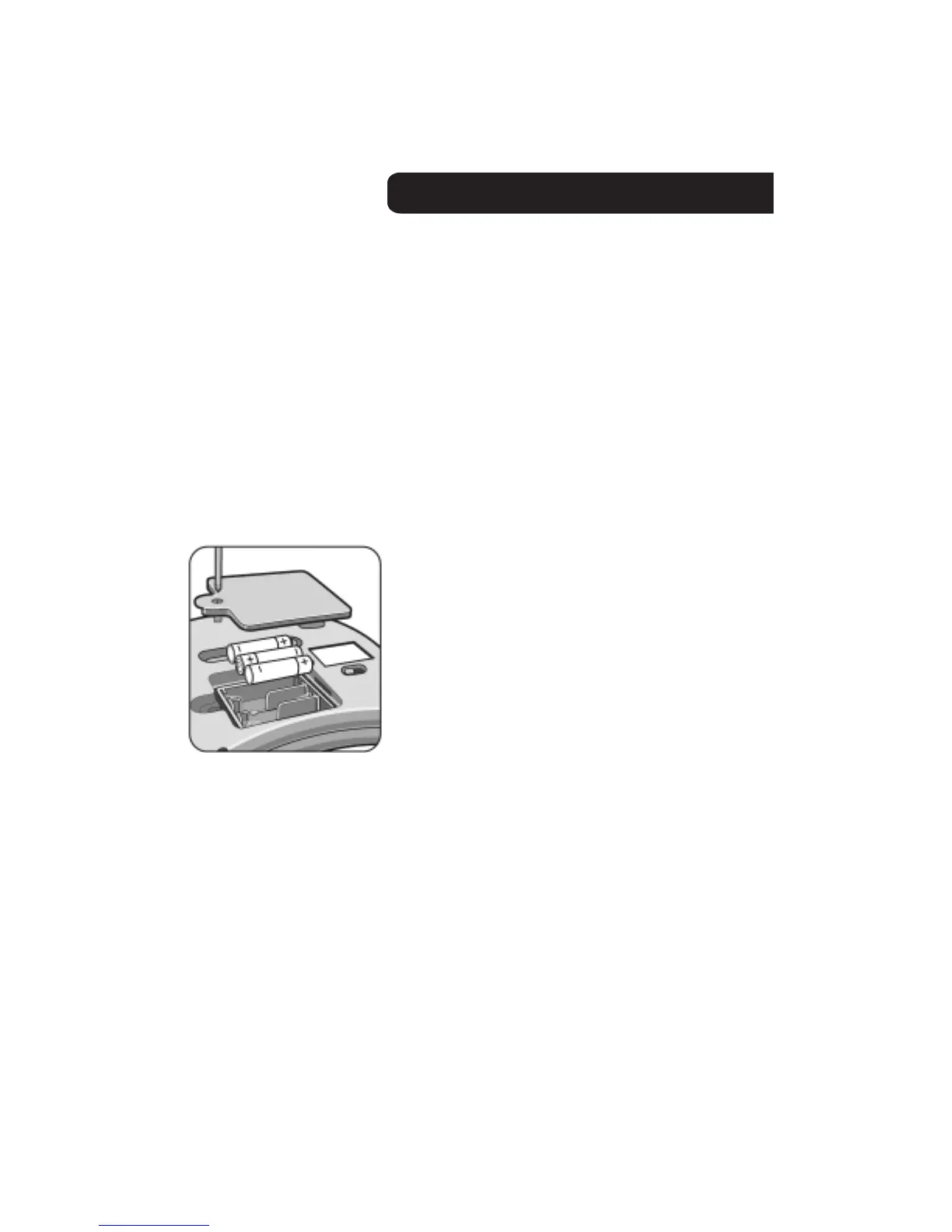
• The battery compartment is located on the back of
the unit.
• Unscrew and lift the cover away from the battery
compartment.
• Insert 3 “AA” batteries as shown.
• For longest life and best performance use only
alkaline batteries.
• Replace the battery compartment cover.
BATTERY SAFETYINFORMATION
In exceptionalcircumstances batteriesmay leak fluids
that can cause a chemicalburn injuryor ruin your toy
(product).To avoid batteryleakage;
• Non-rechargeablebatteriesare not to be recharged.
• Rechargeablebatteriesare to be removedfrom the
productbeforebeing charged(if designedto be
removable).
• Rechargeablebatteriesare only to be chargedunder
adult supervision(if designedto be removable).
• Do not mix alkaline,standard(carbon-zinc),or
rechargeable(nickel-cadmium)batteries.
• Do not mix old and new batteries.
• Only batteriesof the same or equivalenttype as
recommendedare to be used.
• Batteriesare to be insertedwith the correctpolarity.
• Exhaustedbatteriesare to be removedfrom the
product.
• The supply terminalsare not to be short-circuited.
• Disposeof battery(ies)safely.
• Do not disposeof this productin a fire.The batteries
insidemay explodeor leak.
NOTE:
• If your DVD player does not respondproperlyto the
controller, you may have to replacethe batteries.
• After replacingthe batteries,you do NOT have to
re-programthe codes into your controller- the codes
you programmedwill be automaticallysaved.
BATTERY INSTALLATION
2





 To Next Page