Need help?
Do you have a question about the Fisher EMERSON DVC6200 and is the answer not in the manual?
Essential safety measures including protective clothing, pressure isolation, and lockout procedures.
Warning against loosening stem connector cap screws when spring force is applied.
Step-by-step guide for attaching controller components to the actuator.
Guidance on using the alignment template and positioning the magnet assembly correctly.
Instructions for attaching the digital valve controller and performing calibration.
Identification of parts used in the mounting process via numbered diagram.
This document describes the DVC6200 or DVC2000 Digital Valve Controller for use on 585C/585CR Size 50 Actuators, with or without a handjack. It provides detailed instructions for mounting, setup, calibration, and maintenance.
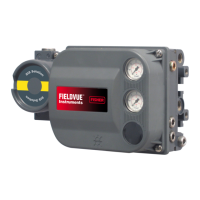
The DVC6200 or DVC2000 Digital Valve Controller is designed to precisely control the position of a valve. It integrates with 585C/585CR Size 50 Actuators, offering enhanced control capabilities for various industrial applications. The controller utilizes a magnet assembly and a Hall sensor to monitor and regulate valve position. This system ensures accurate and reliable valve operation, contributing to efficient process management. The device is crucial for maintaining desired flow rates and pressures within a system by precisely adjusting the valve's opening or closing. Its digital nature allows for advanced diagnostic capabilities and improved communication with control systems.
The installation process involves several steps to ensure proper functionality and safety. Before beginning, it is crucial to review the safety warnings provided. Personal injury or property damage can result from sudden release of process pressure or bursting of parts. Always wear protective clothing, gloves, and eyewear during installation and maintenance. Disconnect any operating lines providing air pressure, electric power, or a control signal to the actuator before starting work. This prevents accidental valve actuation and ensures safety.
The mounting procedure begins by attaching the mounting bracket assembly to the yoke using the two socket head screws. Next, the connector arm is attached to the valve stem connector using spacers and hex nuts. The magnet assembly is then installed into the channel of the digital valve controller housing. It is critical to ensure the magnet assembly is correctly oriented and aligned with the sensor. The alignment template helps in positioning the magnet assembly accurately, ensuring the Hall sensor remains within the marked area throughout the actuator's stroke. This precise alignment is essential for accurate valve position feedback and control.
The extension arm is attached to the connector arm using pan head machine screws. The digital valve controller is then attached to the mounting bracket, and the three hex head cap screws are tightened. After physical installation, the magnet assembly's position within the controller housing channel must be checked to ensure it is visually centered and has adequate clearance. This ensures unimpeded movement and accurate sensing.
The controller supports both air-to-extend and air-to-retract actuator configurations, requiring specific alignment procedures for each. For air-to-extend actuators, the magnet assembly marking should be aligned with the sensor index mark. For air-to-retract actuators, the magnet assembly marking should be aligned with the sensor index mark when the actuator is fully extended. These alignment steps are critical for the controller to accurately interpret valve position.
Regular maintenance is essential to ensure the continued safe and efficient operation of the digital valve controller. Before performing any maintenance, always disconnect operating lines providing air pressure, electric power, or a control signal to the actuator. This prevents accidental valve movement and ensures the safety of personnel.
To isolate the control valve from the process line pressure and release pressure from both sides of the valve body, shut off all pressure lines to the actuator. This step is crucial for safe disassembly and inspection. If the process involves hazardous fluids, further precautions must be taken to prevent exposure.
The document emphasizes the importance of checking the pneumatic actuator loading pressure and relieving any actuator spring precompression before starting work. This helps to prevent sudden release of energy and potential injury. Use lock-out procedures to be sure that the above measures stay in effect while you work on the equipment.
For ongoing maintenance, it is recommended to check the magnet assembly's position within the controller housing channel. Ensure it remains centered and has adequate clearance to prevent any interference with the Hall sensor. If the magnet assembly shifts, it may lead to inaccurate valve position readings and impaired control. The instruction manual or quick start guide provides detailed calibration procedures that should be followed after any significant maintenance or if control accuracy degrades.
Emerson Process Management, Emerson, and their affiliated entities do not assume responsibility for the selection, use, or maintenance of any product. This responsibility rests solely with the purchaser and end user. Therefore, it is imperative for users to adhere strictly to the guidelines provided in this manual for proper selection, use, and maintenance to ensure optimal performance and safety.
 General
| Manufacturer | Emerson |
|---|---|
| Model | DVC6200 |
| Category | Control Unit |
| Type | Digital Valve Controller |
| Communication Protocol | HART, FOUNDATION Fieldbus, Profibus PA |
| Output Signal | Pneumatic |
| Material | Aluminum, Stainless Steel |
| Input Signal | 4-20 mA |
| Travel Feedback | Yes |
| Operating Temperature | -40 to 85°C (-40 to 185°F) |
| Enclosure Rating | NEMA 4X, IP66 |
| Diagnostics | Advanced diagnostics |

 To Next Page