7
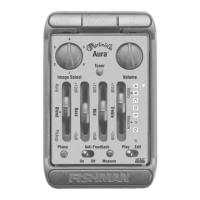
5. Pickup tone • Set Play/Edit switch to Play and adjust tone controls.
6. Image tone • Set Play/Edit switch to Edit and adjust tone controls. Move
switch back to Play to lock Image tone.
7. Control Feedback
• If feedback occurs, push Phase switch. If feedback recurs when you
change your location, press switch again.
• Push Anti-Feedback button once. Turn up Volume, then either dampen
the strings while tapping the body, or play the troublesome note until
the fi lter eliminates feedback.
Note: Aura Pro is a programmable preamplifi er. To restore factory defaults,
see page 16.







 To Next Page
