8
Front Panel (cont.)
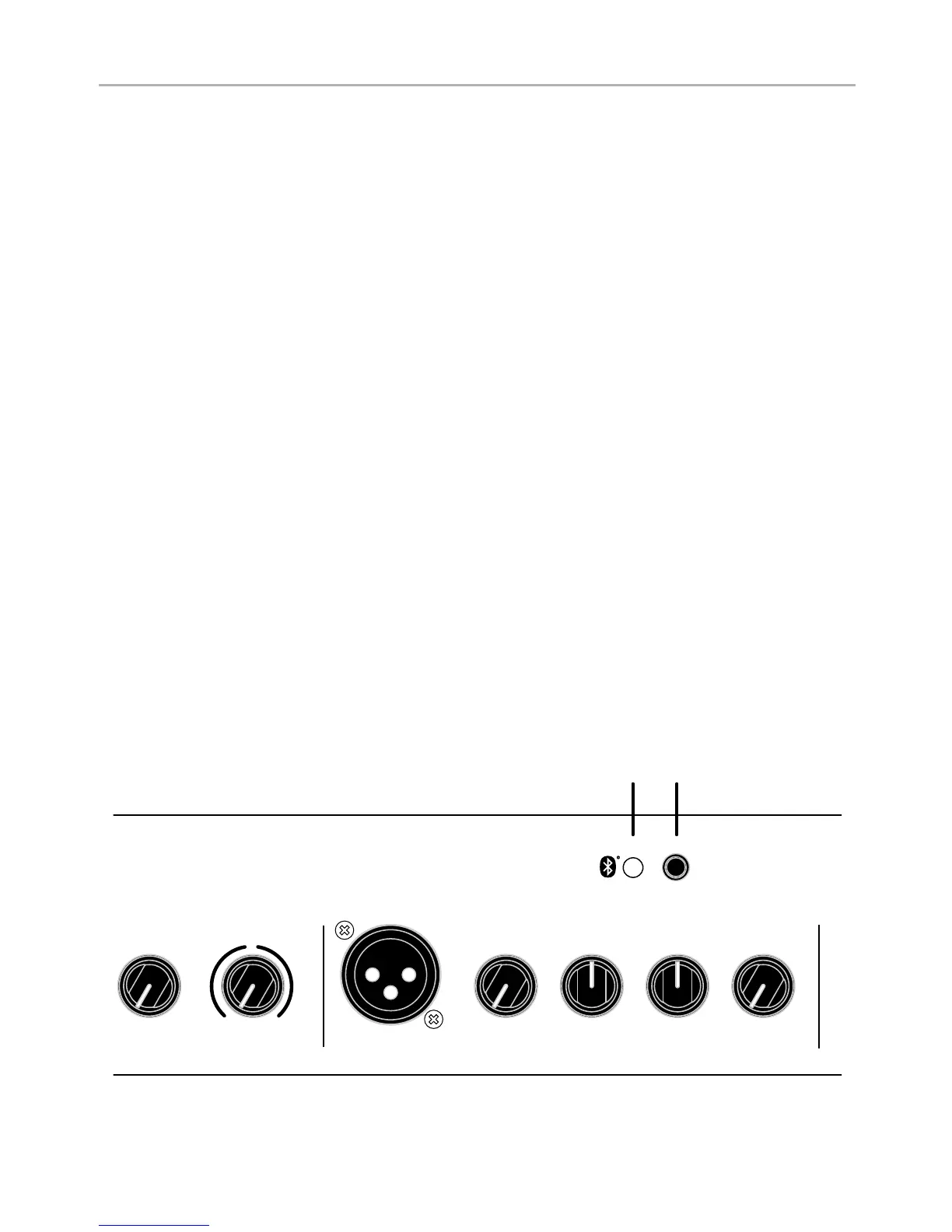
16. Bluetooth
®
Indicator
This green indicator will display a medium fl ash indicating the Bluetooth
®
mod-
ule is ready for pairing. It will display a slow fl ash indicating the module is ready
for reconnection with a previously paired device. The indicator will be on when
playback is active and display a fast fl ash when playback is paused.
17. Bluetooth
®
Pairing
To pair a Bluetooth
®
enabled device for the fi rst time, hold the Pairing button
more than 5 seconds. You will hear an ascending tone and the Bluetooth
®
Indicator will change from a slow fl ash to a fast fl ash indicating it is ready to pair.
Ensure your Bluetooth
®
enabled device is in pairing mode. Once paired the
indicator will stop fl ashing and will allow you to stream music to the amplifi er.
If the button is pressed during paired playback, the playback will be paused
and the Bluetooth
®
Indicator will display a fast fl ash. Press the button again to
resume playback and the Bluetooth
®
Indicator will return to on.
To activate Bluetooth
®
for a previously paired device, hold the Pairing button for
approximately 1-2 seconds (must be less than 5 seconds). An ascending tone will
play briefl y to indicate the Bluetooth
®
is powering on. The Bluetooth
®
Indicator
will slowly fl ash informing it is ready to reconnect and will pair if your device is in
pairing mode.
To turn off the Bluetooth
®
when already paired, hold the button for 1-2 seconds.
A descending tone will indicate that the connection is powering down and the
Bluetooth
®
Indicator will turn off.
High
Low
Gain
Reverb



 To Next Page