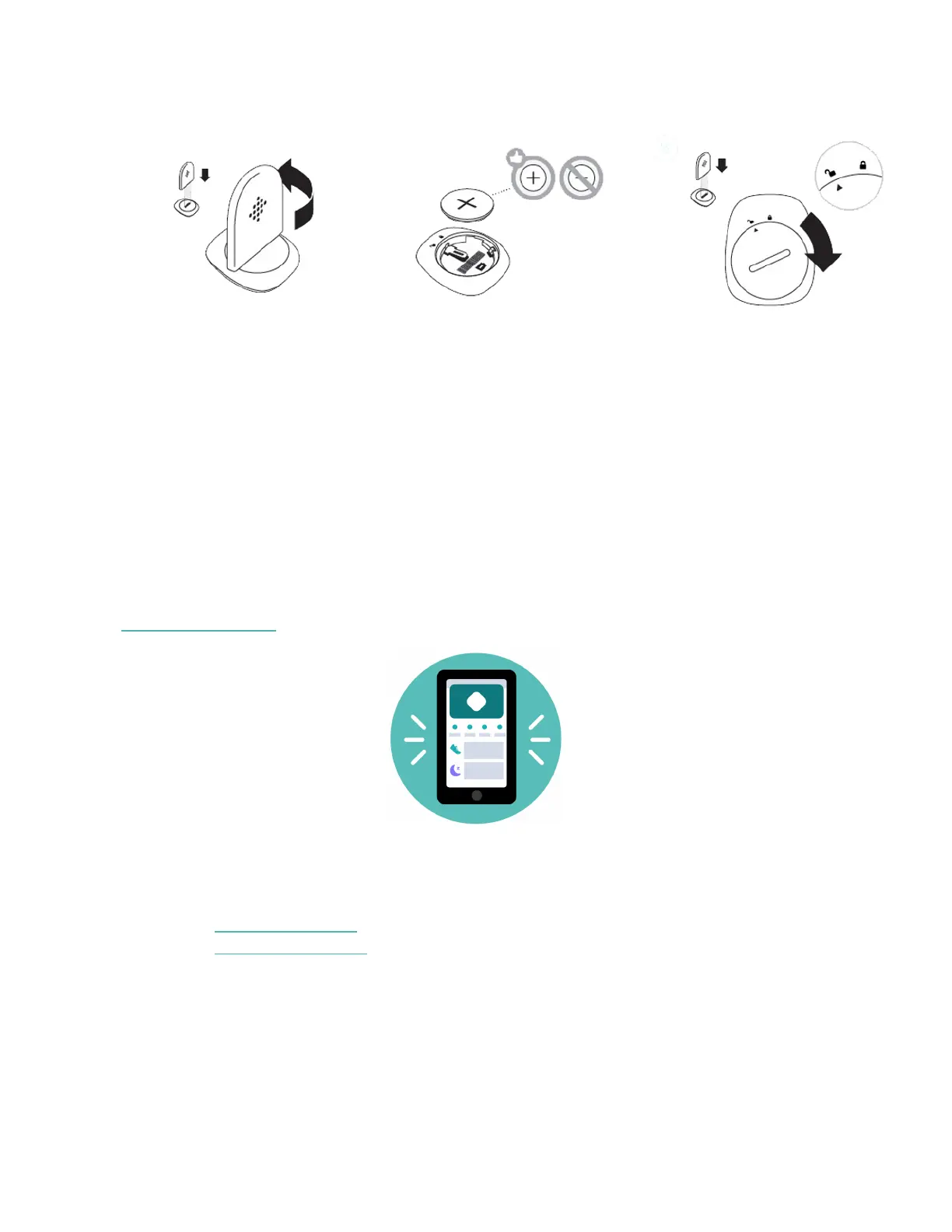
door lines up with the ‘lock’ icon.
4. Once the display comes on, you will be ready to proceed with setup. The
device version of your Zip will appear on the display, followed by a series of
smiley faces, which are used to represent your activity level. The display will
remain on for 30 minutes after inserting the battery.
5. Take the wireless sync dongle from the box and plug it into a USB port on
your computer.
6. You are now ready to get started with setup.
Set up with your phone
Set up Zip with the Fitbit app for iPhones and iPads or Android phones. The Fitbit
app is compatible with most popular phones and tablets. For more information, see
fitbit.com/devices.
To get started:
1. Download the Fitbit app:
l
Apple App Store for iPhones
l
Google Play Store for Android phones
5









 To Next Page