SYSTEM OPERATION - PROGRAM OR EDIT A SEQUENCE
..................................................................................................................................................................................................................................
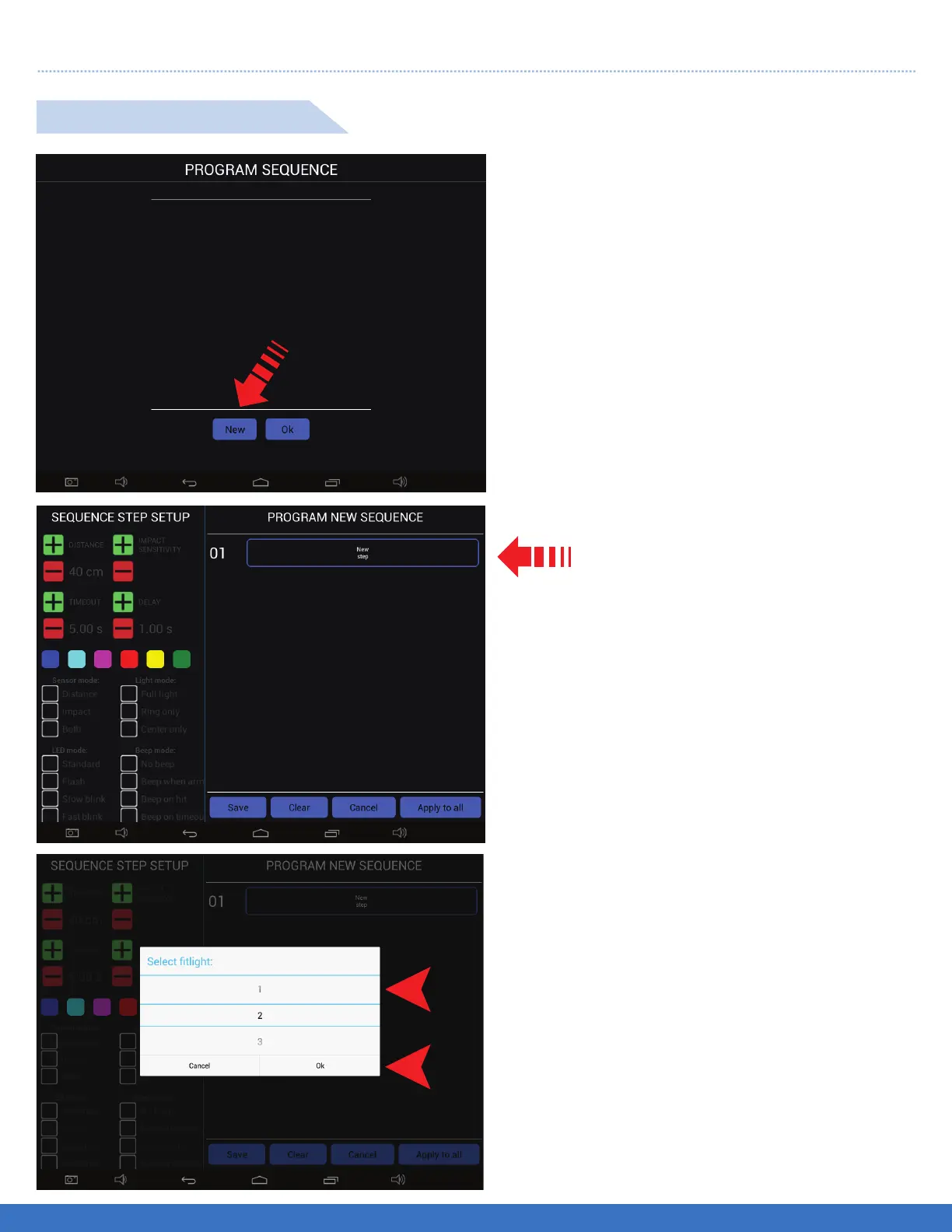
Select “ New Step”. A drop down menu
will appear to enable you to select
the Light number.
PROGRAM A SEQUENCE
Select “New” to start the programming process.
A new menu will open to allow programming.
1. Select the light number by scrolling down.
2. Once the number appears in the window, touch
“OK”. In this example, Light #1 is selected.
3. Once “Ok” is selected a new screen will appear
which will allow the selection of all the Light
parameters.
1
2
SYSTEM OPERATION - PROGRAM OR EDIT A SEQUENCE
25


 To Next Page