..................................................................................................................................................................................................................................
NETWORK & WIRELESS TEST
NETWORK & WIRELESS TEST
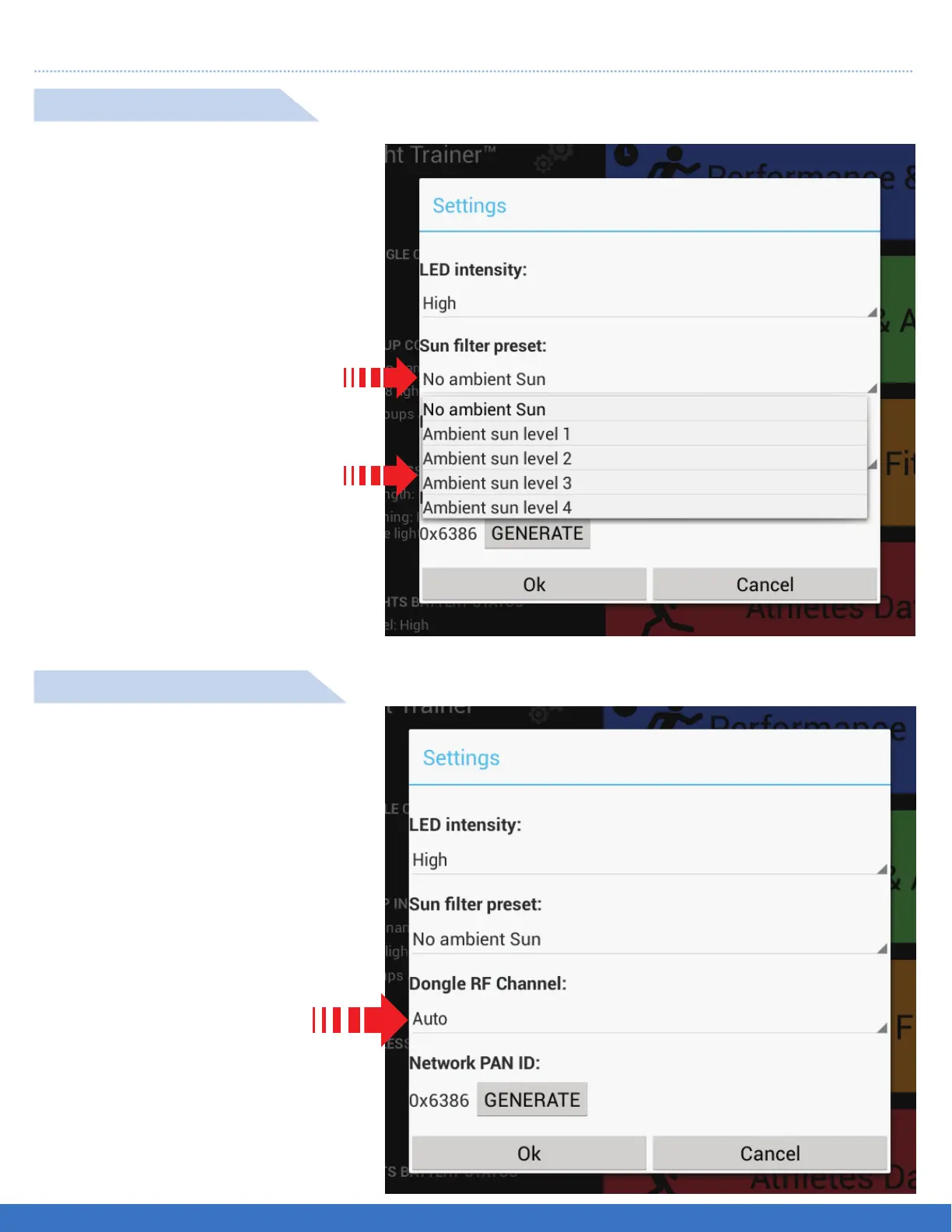
Select No ambient Sun
A drop down menu appears
( as shown ).
Select the level that best suits the
ambient sun that matches the sun’s
intensity.
Note: “No ambient Sun” indicates
no direct sunlight”
Select AUTO to allow the
system to automatically select
the best Channel for the
wireless reception. A drop down
menu will appear to allow
manual selection of the best
channel for wireless reception.
SUNLIGHT SETTINGS
RF CHANNEL SETTINGS
67


 To Next Page